
DDR4 Laptop RAM Price, Buying Guide & Installation – Everything You Need
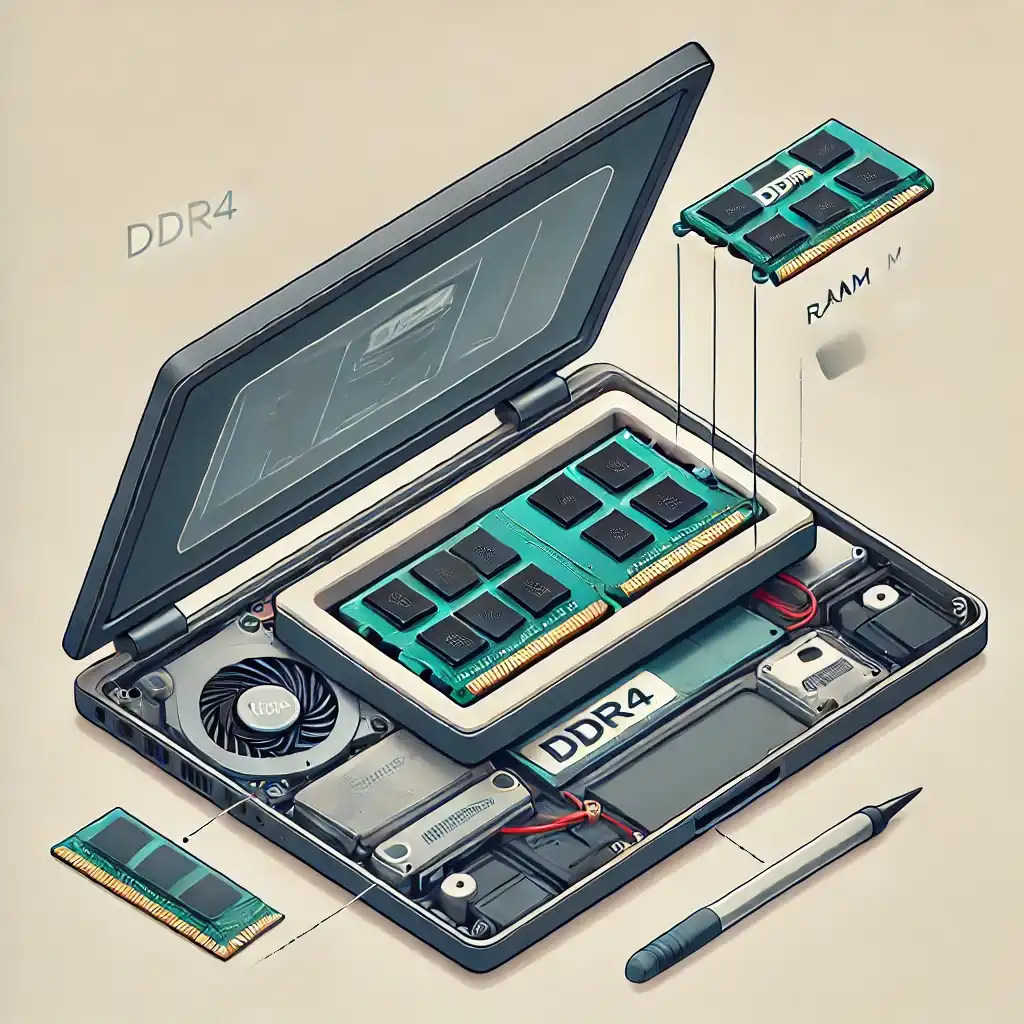
Upgrading your laptop’s DDR4 RAM is one of the most effective ways to improve its performance, especially if you experience slow multitasking, system lag, or memory-intensive tasks. This guide will help you understand DDR4 RAM prices in India, how to choose the right RAM, and provide a detailed step-by-step installation guide.
Understanding DDR4 Laptop RAM
What is DDR4 RAM?
DDR4 RAM (Double Data Rate 4) is a type of SODIMM (Small Outline Dual In-Line Memory Module) memory used in laptops. Compared to DDR3, DDR4 RAM provides:
- Higher speed – Faster data transfer rates
- Lower power consumption – Uses 1.2V, making it energy efficient
- Increased bandwidth – Improves multitasking and responsiveness
- Better stability – Enhanced error correction for reduced crashes
Why Upgrade to DDR4 RAM?
- Improves laptop speed – Faster boot times and smoother performance
- Enhances multitasking – Run multiple applications without slowdowns
- Supports gaming and editing – Handles high-end games and video rendering
- Future-proofing – DDR4 is widely supported in modern laptops
DDR4 RAM Price in India
The price of DDR4 RAM in India varies based on brand, capacity, speed, and availability.
| Laptop DDR4 RAM List | Price |
| ACER SD100 4GB 2666MHz | ₹945 |
| ADATA Premier 4GB 2666MHz | ₹1,005 |
| CRUCIAL 4GB 2666MHz | ₹1,095 |
| SK HYNIX 8GB 2666Mhz | ₹1,217 |
| ADATA Premier 8GB 3200MHz | ₹1,275 |
| LENOVO SODIMM CL 4GB 3200MHz | ₹2,025 |
| LENOVO SODIMM CL 4GB 2666MHz | ₹2,120 |
| ADATA Premier 16GB 2666MHz | ₹2,325 |
| ADATA Premier 16GB 3200MHz | ₹2,355 |
| CRUCIAL 16GB 2666MHz | ₹2,675 |
| LENOVO SODIMM CL 8GB 3200MHz | ₹3,239 |
| LENOVO SODIMM CL 8GB 2666MHz | ₹3,745 |
| ADATA Premier 32GB 3200MHz | ₹4,585 |
| LENOVO SODIMM CL 16GB 3200MHz | ₹4,629 |
| G.SKILL Ripjaws 32GB 3200MHz | ₹5,479 |
Prices can fluctuate based on demand, chip shortages, and online sales. Always compare prices before purchasing.
Where to Buy DDR4 RAM in India?
- Online Stores: Amazon, Flipkart, Local Retailers in your city
- Offline Stores:
- Delhi: Nehru Place
- Mumbai: Lamington Road
- Bangalore: SP Road
- Chennai: Ritchie Street
Top DDR4 RAM Brands Available in India
- Crucial – Budget-friendly and reliable
- Corsair Vengeance – Performance-oriented for gaming
- Kingston (Fury, HyperX Impact) – High-speed RAM for enthusiasts
- Samsung – Original equipment manufacturer (OEM) standard RAM
- ADATA – Good balance of price and performance
- Transcend – Cost-effective option for budget users
How to Choose the Right DDR4 RAM for Your Laptop
Step 1: Check Your Laptop’s RAM Type & Maximum Capacity
- Use Task Manager (Ctrl+Shift+Esc) > Performance > Memory to check RAM details
- Use CPU-Z or HWInfo to find motherboard compatibility
- Refer to your laptop manual or manufacturer’s website to check max RAM capacity
Example: Some budget laptops support only 8GB or 16GB max RAM, while premium models allow 32GB or more.
Step 2: Determine the Number of RAM Slots
- Some laptops have one slot (single-channel), while others have two slots (dual-channel)
- Dual-channel memory provides better performance when using two equal-sized modules
Step 3: Choose the Right RAM Speed (MHz)
- Laptops support specific speeds like 2133MHz, 2400MHz, 2666MHz, 3200MHz
- Faster RAM improves performance, but your motherboard must support the frequency
- Example: If your laptop supports 2666MHz, buying 3200MHz RAM will downclock to 2666MHz
Step 4: Ensure Voltage Compatibility
- DDR4 RAM operates at 1.2V, making it more power-efficient than DDR3 (1.5V)
- Check if your laptop motherboard supports low-power DDR4 (LPDDR4) before buying
Step 5: Buy from a Trusted Seller
- Avoid counterfeit products – Always check customer reviews before purchasing
- Check warranty – Most DDR4 RAM comes with a 3- to 5-year warranty
How to Fit DDR4 RAM in Your Laptop (Step-by-Step Guide)
Things You’ll Need:
- Compatible DDR4 RAM module
- Screwdriver (if your laptop has a back panel)
- Anti-static wrist strap (optional, prevents static damage)
- Soft cloth or brush (to clean dust from RAM slots)
Step 1: Turn Off and Unplug the Laptop
- Shut down your laptop
- Remove the power adapter and battery (if removable)
Step 2: Open the Laptop’s RAM Compartment
- Flip the laptop upside down
- Use a screwdriver to remove the back panel
- Locate the SODIMM RAM slot (often under a dedicated cover)
Step 3: Remove the Existing RAM (If Needed)
- Push the side clips outward
- The RAM module will pop up at an angle
- Gently pull out the RAM
Step 4: Install the New DDR4 RAM
- Align the gold connectors with the slot
- Insert the RAM at a 30-degree angle
- Press down until it clicks into place
Step 5: Close the Laptop and Power On
- Reattach the back panel and tighten screws
- Insert the battery and plug in the laptop
Step 6: Verify Installation
- Open Task Manager > Performance > Memory to check if the new RAM is detected
- If RAM isn’t detected, reseat the module and try again
💡 Pro Tip: If you have two RAM sticks, install identical modules for optimal dual-channel performance.
Common Issues and Troubleshooting
Q1: What if the new RAM is not detected?
- Check if the RAM is firmly inserted
- Ensure you purchased compatible RAM (DDR4 SODIMM, correct MHz)
- Reset the BIOS settings (some laptops require memory reinitialization)
Q2: Can I mix different RAM speeds or brands?
Yes, but the faster RAM will downclock to match the slowest module’s speed. For best performance, use identical RAM sticks.
Q3: How much RAM do I need for gaming or video editing?
- 8GB – Entry-level gaming, casual multitasking
- 16GB – Smooth gaming, video editing, coding
- 32GB+ – Professional-grade 3D rendering, 4K video production
Q4: Can I upgrade DDR3 to DDR4 RAM?
No, DDR4 RAM is not backward compatible with DDR3 slots. You need a motherboard that supports DDR4.
Endnote
Upgrading your DDR4 RAM in a laptop is a cost-effective way to boost performance. Before purchasing, check compatibility, RAM slots, and speed to ensure a smooth upgrade.
Final Tip: If you’re unsure, take your laptop to a service center or a local PC shop for assistance.
Would you like a DDR4 RAM recommendation based on your laptop model? Let me know! 🚀

