
Desk Space Matters: How to Choose the Right Monitor Size
You’ve found a monitor with great specs. Full HD, 144Hz, IPS, maybe even 32 inches wide. But… will it actually fit on your desk?
Many Indian buyers get excited by size and resolution, only to find their monitor doesn’t leave enough room for the keyboard, blocks the window, or forces them to lean back to see the whole screen.
That’s why you need to become a Desk Detective someone who solves the mystery before unboxing a screen that doesn’t fit.
Step 1: Start with the Basics Your Desk Dimensions
Measure Your Desk’s Depth (Front to Back)
- A minimum of 20 inches (50 cm) from the screen to your eyes is needed for comfort
- A desk that’s only 15-18 inches deep might be too tight for anything above 24 inches
Measure Your Desk’s Width (Side to Side)
- 24″ monitors are about 21-22 inches wide
- 27″ monitors are closer to 24-25 inches
- You should leave at least 2 inches on each side for airflow, cables, and desk items
Measure Your Desk’s Height
- Your eyes should be in line with the top third of the screen
- If your desk is low and the monitor is too tall, you’ll have to strain your neck
- If your chair is low, you might need a riser or adjustable stand
Step 2: Know the Real Size of the Monitor (Not Just the Inches)
Monitor size (inches) is measured diagonally, but what matters is the actual width and height.
| Monitor Size | Width | Height | Minimum Viewing Distance |
|---|---|---|---|
| 22 inch | 19.5″ | 11″ | 18-22 inches |
| 24 inch | 21.3″ | 12.5″ | 20-24 inches |
| 27 inch | 24.1″ | 14″ | 24-30 inches |
| 32 inch | 28″ | 16″ | 30-36 inches |
These sizes are for 16:9 monitors ultrawide monitors are much wider.
Step 3: Match Your Monitor to Your Desk Setup
Common Desk Setups in Indian Homes:
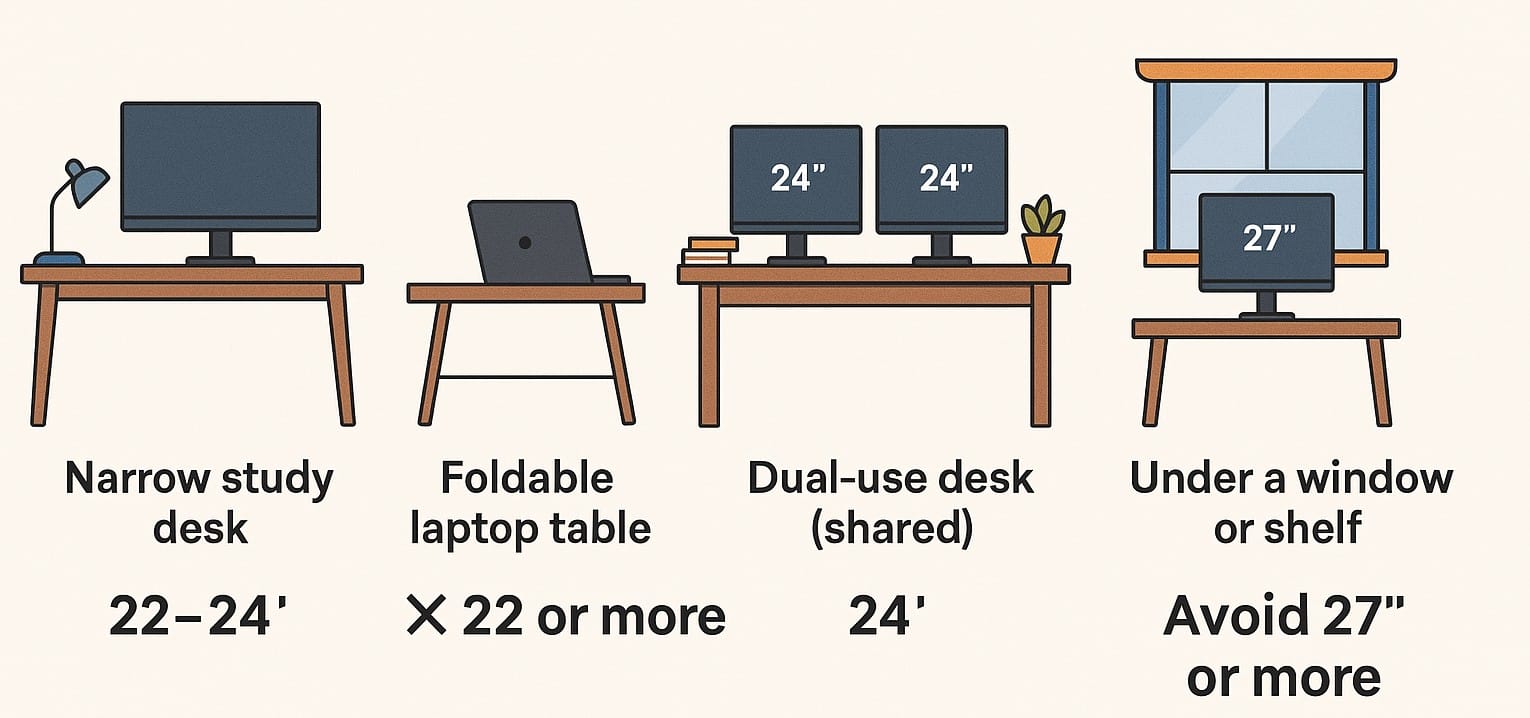
| Setup Type | Potential Issue | Ideal Monitor Size |
|---|---|---|
| Narrow study desk | No depth for large monitor stands | 22-24″ with slim stand |
| Foldable or wall-attached table | No support for large or heavy screens | Stick to laptops or 22″ |
| Dual-use desk (shared) | Limited width, needs flexibility | 24″ with thin bezels |
| Under a window or shelf | Headroom issues, risk of glare | Avoid 27″+ if space is tight |
| Bedroom work corner | Limited space and shared use | 22-24″, possibly wall-mounted |
Step 4: Don’t Forget Monitor Viewing Distance
You should be able to sit comfortably and see the entire screen without turning your head.
- For 24-inch monitors, 2 feet (60cm) is usually perfect
- For 27-inch, aim for 2.5 feet (75cm)
- For 32-inch, you need about 3 feet (90cm) or more
If your room doesn’t allow this, go one size down you’ll enjoy it more.
Step 5: Final Checklist Before Purchase
- Measure desk width, depth, and available height
- Check for obstacles windows, shelves, wall edges
- Use masking tape or paper to mock the monitor footprint
- Check eye level while sitting the top of the monitor should be just below eye height
- Plan for keyboard, mouse, or speakers don’t fill every inch with screen
If Desk Space is Tight, These Features Help
- VESA mounting: Use wall mounts to free up desk area
- Adjustable stands: Tilt and height adjustment improves viewing comfort
- Thin bezels: Slim profile gives you more screen in less space
- Monitor arms: Great for dual screens or floating setups
It’s Not Just About the Screen It’s About the Space Around It
A big screen isn’t always better especially if it cramps your space or hurts your neck.
By measuring your desk, checking your viewing distance, and visualizing the fit, you can avoid discomfort from day one.

