
DDR5 Laptop RAM Price List
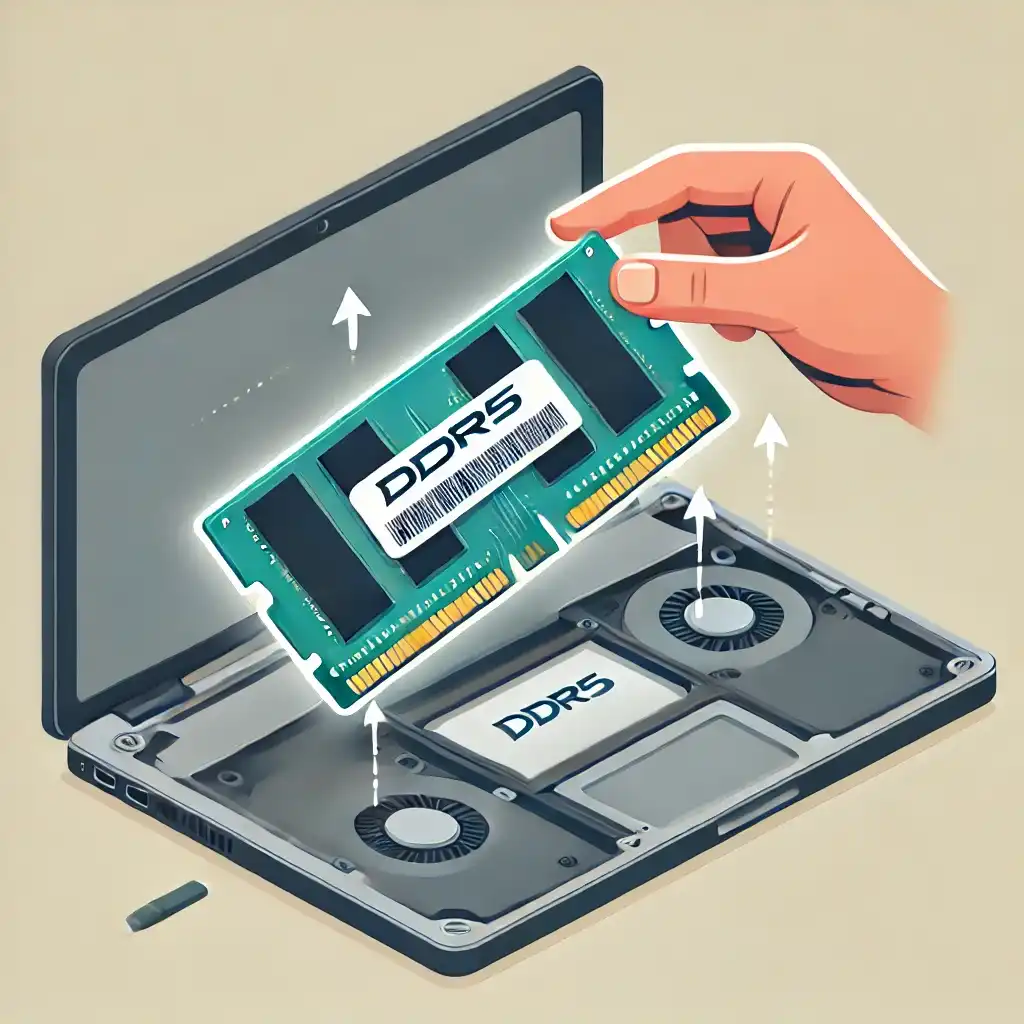
DDR5 RAM is the latest standard in laptop memory, offering higher speeds, better efficiency, and increased bandwidth compared to DDR4. If you’re looking to upgrade your laptop to DDR5 RAM in India, this guide will help you understand pricing, performance improvements, and how to install it properly.
What is DDR5 Laptop RAM?
DDR5 (Double Data Rate 5) RAM is the newest memory standard designed for modern laptops. It brings significant improvements over DDR4, such as:
- Higher speeds – Starts at 4800MHz and goes up to 6400MHz+
- Lower power consumption – Uses 1.1V instead of DDR4’s 1.2V, extending battery life
- Increased bandwidth – Delivers up to 38.4 GB/s, nearly double that of DDR4
- Larger memory modules – Supports up to 64GB per stick, while DDR4 maxes out at 32GB per stick
- Built-in ECC (Error Correction Code) – Ensures better stability by correcting minor memory errors
Why Upgrade to DDR5?
- Faster game loading times
- Improved video editing & rendering performance
- Enhanced AI and data science processing
- Better efficiency & future-proofing for upcoming applications
DDR5 Laptop RAM Price in India
| Laptop DDR5 RAM List | Price |
| ANT ESPORTS 690 Neo FP 16GB 5200MHz | Rs. 4,145 |
| ANT ESPORTS 690 Neo FP 32GB 5200MHz | Rs. 7,280 |
| CRUCIAL 8GB 4800MHz | Rs. 1,905 |
| ADATA 8GB 4800MHz | Rs. 2,176 |
| ADATA 8GB 5600MHz | Rs. 2,417 |
| ADATA 16GB 5600MHz | Rs. 3,675 |
| ADATA 16GB 4800MHz | Rs. 3,436 |
| ADATA 32GB 4800MHz | Rs. 6,678 |
Price Factors:
- Brand & Speed – Higher MHz RAM costs more.
- Availability – Prices fluctuate due to supply chain issues.
- Retailer Variance – Prices vary across online & offline stores.
Best DDR5 Laptop RAM Brands Available in India
- Crucial DDR5 SODIMM – Reliable, affordable option
- Kingston Fury Impact DDR5 – Optimized for gaming
- Corsair Vengeance DDR5 SODIMM – High-speed premium RAM
- Samsung DDR5 SODIMM – Found in high-end OEM laptops
- ADATA XPG DDR5 – Good cooling & overclocking support
- Lexar DDR5 SODIMM – Growing popularity in India
- G.Skill Ripjaws DDR5 – Preferred by gamers for performance
Where to Buy DDR5 Laptop RAM in India?
- Online Stores: Amazon, Flipkart, MD Computers, PrimeABGB
- Offline Stores: Nehru Place (Delhi), Lamington Road (Mumbai), SP Road (Bangalore)
DDR5 vs. DDR4 – How Much Better Is It?
DDR5 RAM brings significant improvements over DDR4, making it a better choice for performance users.
| Feature | DDR5 Laptop RAM | DDR4 Laptop RAM |
|---|---|---|
| Speed (MHz) | 4800 – 6400MHz+ | 2133 – 3200MHz |
| Bandwidth | Up to 38.4 GB/s | Up to 25.6 GB/s |
| Power Consumption | 1.1V (lower) | 1.2V |
| Capacity per Module | Up to 64GB | Up to 32GB |
| Error Correction (ECC) | Built-in On-Die ECC | No ECC for standard RAM |
| Performance Boost | 30-50% faster in memory-intensive tasks | Standard performance |
Key Benefits of DDR5 Over DDR4
- Higher Speed = Faster Response Times
- DDR5 starts at 4800MHz, making it faster than high-end DDR4 (3200-3600MHz).
- Games load faster, video editing is smoother, and AI applications process quicker.
- Improved Power Efficiency = Longer Battery Life
- DDR5 runs at 1.1V, consuming less power than DDR4’s 1.2V.
- Beneficial for ultrabooks, gaming laptops, and professional machines.
- Higher Bandwidth = Better Multitasking
- DDR5 doubles the memory bandwidth, improving 3D rendering, AI processing, and high-end computing tasks.
- Increased Memory Density = More RAM per Slot
- DDR5 allows 64GB per module, making 128GB RAM laptops possible.
Who Should Upgrade to DDR5?
- Gamers – Better FPS in CPU-heavy games.
- Video Editors – Faster 4K/8K rendering.
- AI & Data Scientists – Handles large datasets smoothly.
- Professional Users – Future-proof for demanding workloads.
How to Install DDR5 RAM in Your Laptop
Step-by-Step Installation Guide
🔹 Step 1: Check Laptop Compatibility
- Go to Task Manager (Ctrl+Shift+Esc) > Performance > Memory
- Use CPU-Z or HWInfo to check the RAM type
- Visit your laptop manufacturer’s website for DDR5 support
🔹 Step 2: Power Down & Unplug
- Shut down the laptop and disconnect the charger
- Remove the battery (if removable)
🔹 Step 3: Open RAM Slot
- Flip the laptop upside down
- Remove screws and open the RAM compartment
🔹 Step 4: Remove Old RAM (If Needed)
- Push side clips outward to release the RAM
- Gently pull out the RAM module
🔹 Step 5: Insert the New DDR5 RAM
- Align the gold connectors with the slot
- Insert at a 30-degree angle and press firmly until it clicks
🔹 Step 6: Reassemble and Power On
- Close the back panel and tighten screws
- Turn on the laptop and check Task Manager > Memory to verify the upgrade
Common DDR5 Laptop RAM Questions
Q1: Can I install DDR5 RAM in a DDR4 laptop?
No. DDR5 RAM is not backward compatible. You need a laptop that specifically supports DDR5 memory.
Q2: Does DDR5 RAM improve gaming?
Yes. DDR5 reduces stutters, improves minimum FPS, and helps CPU-heavy games run smoother.
Q3: Is DDR5 worth upgrading over DDR4?
If you’re buying a new high-end laptop, go for DDR5. If you have a DDR4 laptop, upgrading requires a new motherboard, which isn’t practical.
Q4: Will DDR5 prices drop in India?
Yes. As DDR5 becomes the standard, prices will gradually decrease.
Summary – Should You Upgrade to DDR5?
If your laptop supports DDR5, upgrading is worth it for faster speeds, improved multitasking, and long-term future-proofing. DDR4 is still viable for budget users, but DDR5 is the best option for power users and professionals.
Final Tip: Always check compatibility before purchasing, and buy from trusted sellers. 🚀

