
Fix Gaming PC Heat Problems in India – Air, AIO, and Fan Layout
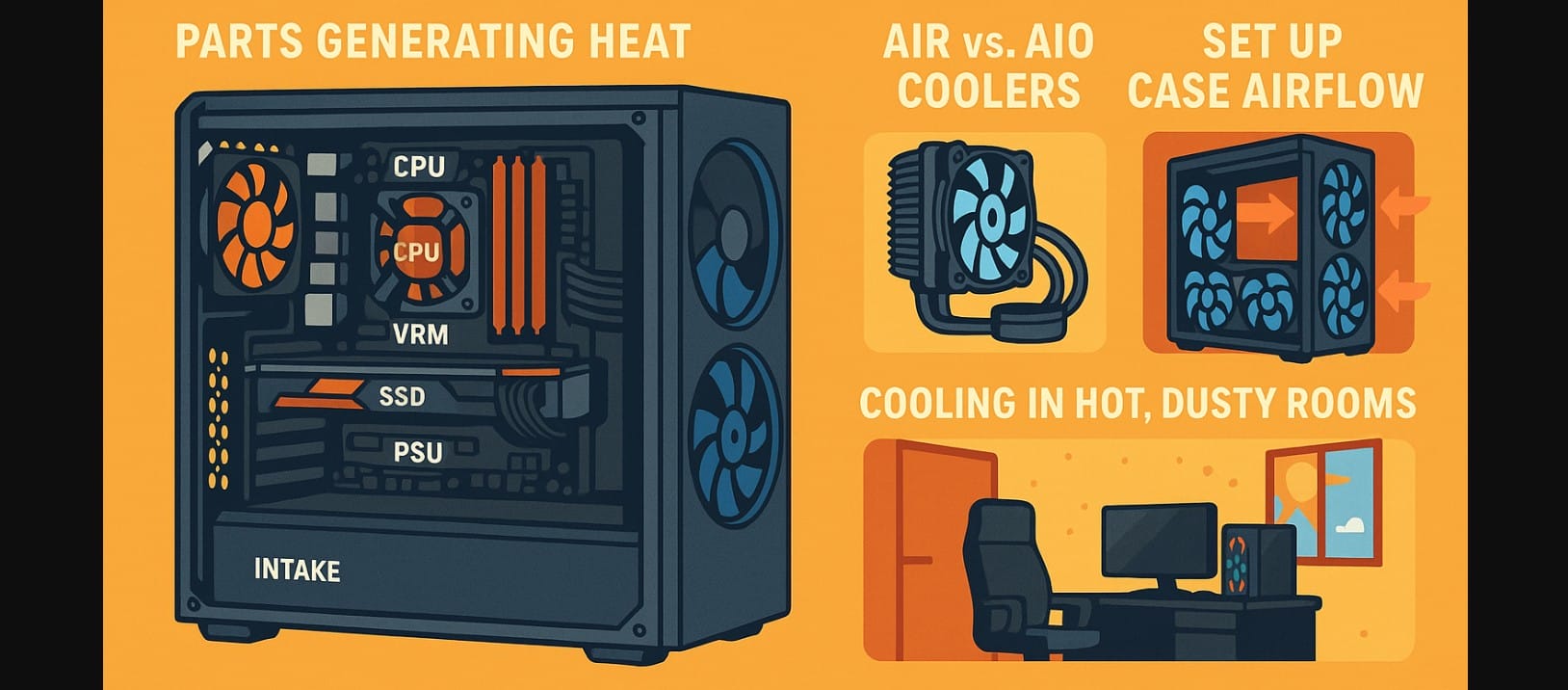
If you’ve ever gamed in a non-AC Indian room during June, you already know your PC doesn’t just get hot, it gets unstable. Thermal throttling, fan noise, or worse, random shutdowns, are all common in builds that don’t account for India’s heat and dust.
With GPUs drawing more power and cabinets getting sleeker, cooling isn’t about aesthetics anymore. It’s about protecting your system and getting consistent performance.
In this guide, you’ll learn how to build or upgrade a cool, quiet, and reliable setup using airflow tweaks, AIO liquid cooling, and layout strategies that actually work for India.
1. Computer Parts Generating Heat Inside Your System
It’s Not Just the CPU Anymore
- GPU: Heats up fastest especially with modern AAA titles at high FPS
- CPU: Stays cooler than GPU but spikes under multitasking or encoding
- Motherboard VRMs: Crucial for stable power heat here = throttling
- SSDs and RAM: NVMe drives now need airflow too, especially Gen 4 models
- Power Supply: Often neglected, but overheats if airflow is blocked
Add Indian Conditions to That Equation
- 35-40°C room temperature during summer
- Dust-heavy environments from open windows and fans
- Inverter/UPS setups that cut fan speeds during voltage drops
2. Air or Liquid? Pick Cooling Based on Your Room, Not Just the CPU
Why Air Coolers Still Rule for Indian Homes
- Reliable, low-maintenance, and safer in dusty conditions
- Easy to clean with a blower or soft brush
Best picks:
- Deepcool AK620
- Cooler Master Hyper 212
- Antec A400
Ideal for: i3 to i5 or Ryzen 5
When AIOs Actually Make Sense
- You’re running Ryzen 9, i7/i9, or overclocked workloads
- You’re building in a compact case (ITX/mATX) with GPU heat overlap
Best picks:
- Lian Li Galahad
- Cooler Master
- Arctic Liquid Freezer
Important: Always mount the radiator with tubes at the bottom, especially in vertical front placements, to avoid air bubbles
3. Fan Placement Changes Everything
Think of Your Case as a Wind Tunnel
| Type of Fan | Job | Placement |
|---|---|---|
| Intake | Pull in cool air | Front or bottom (filtered) |
| Exhaust | Push hot air out | Rear or top (non-filtered) |
| Radiator fans | Pull or push through coolant | Front/top depending on setup |
Ideal Layouts for Mid-Tower Cases
- Minimum: 1 rear exhaust + 1 front intake
- Balanced: 2 front intake + 1 rear + 1 top exhaust
- AIO Setup: Radiator as front intake, 2 top + rear as exhaust
Most Common Mistakes in Builds
- All fans pushing in or all pushing out (creates pressure chaos)
- Leaving pre-installed fans without checking their orientation
- No filter cleaning = clogged airflow in 3 weeks flat
4. Computer Desk Placement for Optimal Performance
Placement Mistakes
- Case pushed into the corner of a desk rear exhaust blocked
- Tower kept directly on the floor sucks in hair and dust
- Under-table enclosures with solid wood around sides and back
- Setup near open balconies or under ceiling fans without covers
What to Do Instead
- Leave 3-5 inches of clearance on back and sides of case
- Use a stand or rubber pads to slightly raise bottom intake cases
- Avoid placing the side panel directly against a wall let air escape
- If possible, face rear exhaust toward an open space (not wall or curtain)
5. Cleaning and Maintenance
How Often You Need to Clean Based on Where You Live
| Location Type | Cleaning Frequency | Tools to Use |
|---|---|---|
| Metro city with dust (Delhi, Pune, Chennai) | Every 2-3 weeks | Hand blower or soft brush |
| Coastal/humid areas (Kochi, Goa, Kolkata) | Monthly | Brush + anti-corrosion wipe |
| Small towns with dry air | Monthly | Blower and cotton swabs |
What to Clean
- Front intake filters
- GPU fans
- CPU heatsink base
- PSU vent and back fan grill
- RAM slots and motherboard VRMs (lightly)
6. Is Your PC Running Hot? Do This Before Buying New Parts
- Flip your top fans to exhaust often installed wrong in shops
- Change thermal paste (₹500 tube can drop temps by 5-8°C)
- Remove front panel if it’s blocking airflow (mesh front is ideal)
- Check your PSU orientation fan should face bottom or inside, never upward in closed cases
- Elevate case on a rack if it’s on the floor or near carpet
7. Tools to Monitor Computer Temps Without Guesswork
- HWMonitor / HWiNFO – Live CPU, GPU, VRM, SSD temps
- NZXT CAM – Good for AIO users and RGB sync
- MSI Afterburner – See GPU load + temp while gaming
Normal operating temps:
- GPU: 65-75°C under load
- CPU: 55-70°C under gaming
- SSD: Below 60°C (above this may throttle)
8. Airflow That Keeps Gaming PCs Cool
You don’t need a ₹10,000 cooler or triple-AIO setup to game safely in India. You need clean airflow, proper fan layout, and smart component placement. Spend on airflow-first cases, clean regularly, and choose your cooler based on what your CPU and your room demand.
If your PC feels too hot to touch during a gaming session in June, something’s wrong.

