
Laptop Battery Dying Too Soon? Heat and Daily Habits Are Quietly Killing It
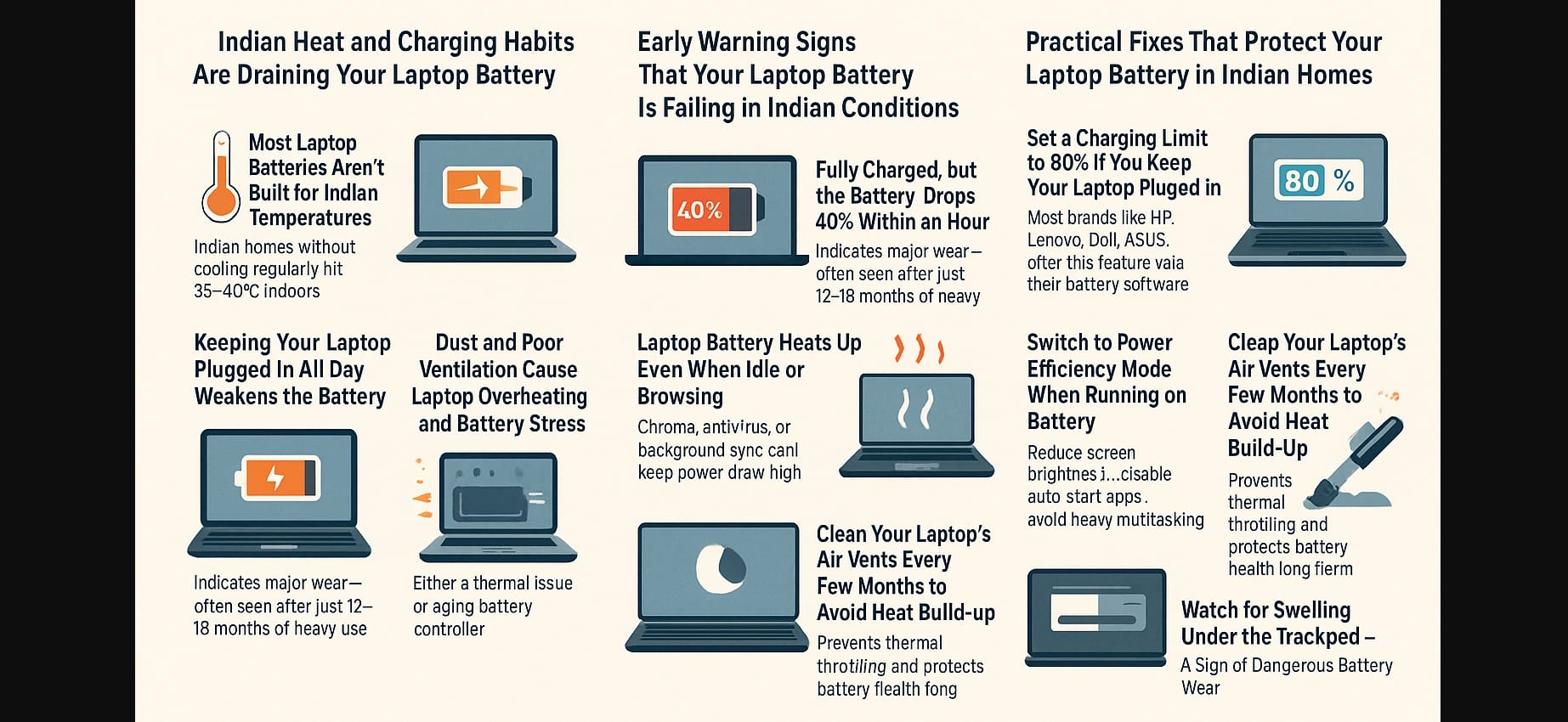
Laptop batteries aren’t designed with Indian heat and usage patterns in mind. Most are tested in cooler lab environments, often around 25°C. But in India, especially during summers or in homes without air conditioning, your indoor temperature can easily hit 40-45°C. This heat speeds up the chemical wear inside lithium-ion batteries, shortening their lifespan even when you’re just browsing the web or attending an online class.
Another common issue is how laptops are used like desktops. If you leave your laptop plugged in all day, the battery remains under constant stress. Without enabling charging limits (like capping the charge at 80%), your battery is continuously working at full capacity which adds to heat buildup and long-term wear.
Add to this the lack of proper ventilation. Many Indian users place laptops on beds, cushions, or wooden desks with no airflow underneath. Dust buildup around vents blocks the fan, causing internal components including the battery to overheat regularly.
1. Early Warning Signs That Your Laptop Battery Is Failing
If your laptop battery drains unusually fast, especially within 30-60 minutes of use, that’s often an early sign of degradation. Even though the system may show 100% charge, the actual capacity could have dropped to 40-60% of the original.
Another red flag is when your laptop starts heating up even when idle. This often happens when background apps like Chrome tabs, antivirus scans, or auto-sync tools are running silently. The battery stays active, generating heat even without user activity.
Sometimes, you may notice charging stops at 80%, or it takes much longer to reach full. This could be a safety mechanism triggered by internal temperature, or it may point to a failing charging controller inside the battery.
2. Real Battery Challenges Faced by Laptop Users in India
- Many Indian laptops, especially budget models, come with unnecessary software that runs in the background. These programs quietly drain your battery throughout the day and keep the system active even when the screen is off.
- Power cuts and inverter-based backup setups also cause issues. Frequent plugging and unplugging can confuse the laptop’s charging logic, leading to erratic charging behavior. Worse, if your inverter isn’t stable or uses low-grade sine wave output, it can damage the battery controller over time.
- And then there’s the issue of fake or unregulated chargers. In many smaller cities, users still buy laptop chargers from unverified sources. These lack proper voltage control and may not support modern USB-C Power Delivery standards. Over time, this damages both your laptop’s battery and the charging port.
3. Practical Fixes That Protect Your Laptop Battery in Indian Homes
- The easiest fix is to enable a charging limit if you mostly keep your laptop plugged in. Many brands like Lenovo (Vantage), Dell (Power Manager), ASUS (MyASUS), and HP now offer this feature. Setting the limit to 80% helps reduce long-term stress on your battery.
- Use a laptop cooling pad or even a basic metal stand to improve airflow. Lowering internal temperatures by just 5°C can have a big impact on battery life, especially during summers.
- Switch to “Power Efficiency” or “Battery Saver” mode when working unplugged. Reduce brightness, turn off Bluetooth if unused, and avoid opening too many tabs or apps at once.
- Make it a habit to clean your laptop’s air vents every 3-6 months. A simple vacuum or blower can help remove dust and keep the system cooler. If your laptop allows, consider internal cleaning via a technician every year.
4. How to Know When Your Laptop Battery Needs Replacement
You don’t need to guess you can check your battery’s health yourself. On Windows, use the powercfg /batteryreport command to generate a detailed report. Look for “Cycle Count” and “Design Capacity.” If your battery has lost more than 30% of its original capacity, it’s time to start planning for a replacement.
A dangerous sign is a swollen battery. If your touchpad is bulging or you feel a raised surface under the keyboard, shut down the laptop immediately. A swollen battery can damage internal components or even catch fire.
5. Why Laptop Batteries Fail Faster in India
| Laptop Battery Problem | Why It Happens in India | What You Can Do That Works |
|---|---|---|
| Battery drains quickly | High heat, heavy multitasking | Use cooling pad, switch to light apps |
| Always plugged in, low battery life | Continuous charge stress, no limit set | Enable 80% charge cap in battery settings |
| Battery heating during light usage | Dust, poor ventilation, background apps | Clean vents, reduce background load |
| Slow or incomplete charging | Fluctuating power or battery wear | Use OEM charger, check battery report |
| Battery fails after 1-2 years | High cycles, improper habits | Adjust usage, delay full discharge cycles |
Protect Your Laptop Battery from Heat and Charging Damage
If you’re in India, your laptop battery is under stress. The good news is you can fix this without spending money. Simple changes like using a cooling pad, setting a charge limit, and switching to battery saver mode can keep your battery healthy for years. You don’t need a new laptop; just use your current one more wisely.

