
Built-In Speakers in Monitors: Useful or Just Another Gimmick?
Let’s be honest most of us don’t buy a monitor for its sound. It’s usually about screen size, sharpness, or refresh rate. But sooner or later, especially in Indian homes where one screen might be used for everything from work to Netflix, that tiny “built-in speaker” spec starts to look important.
Should you care?
Will it save you money on external speakers?
Or will it disappoint you the moment you hit “Play”?
Let’s break it down simply, practically, and based on how we actually use screens at home.
1. Where Built-in Monitor Speakers Help (and Where They Don’t)
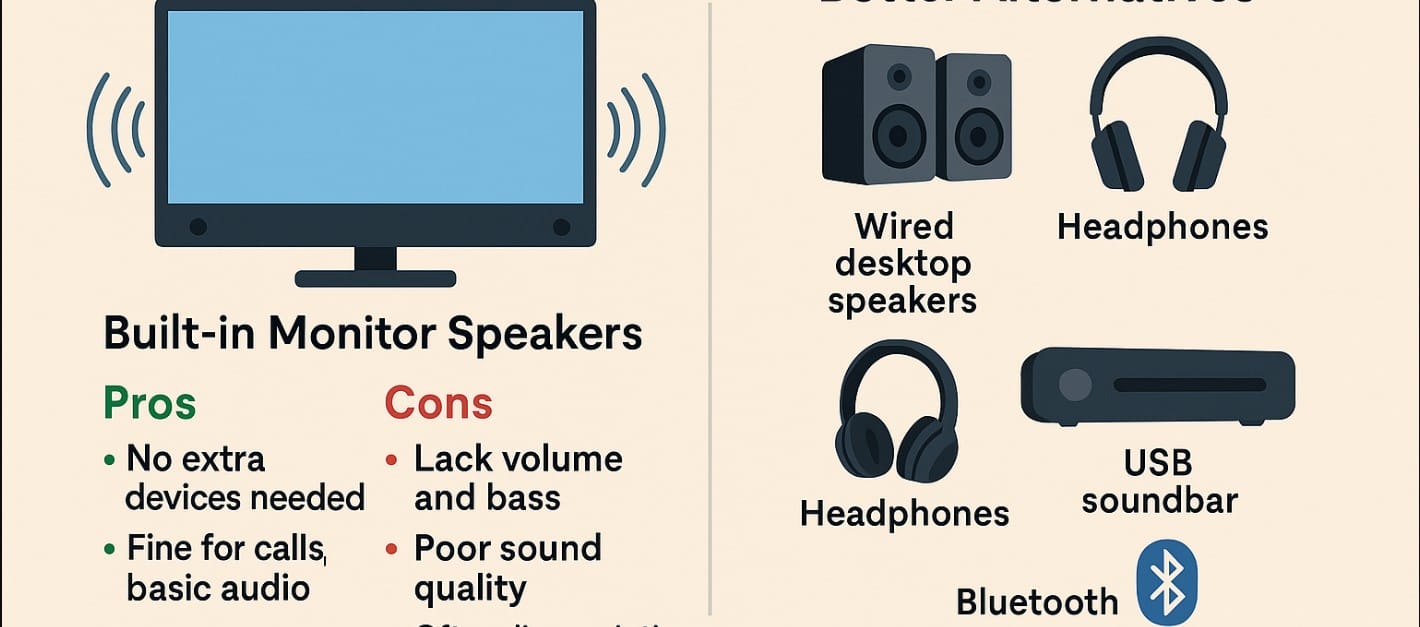
If all you’re doing is attending Zoom calls, listening to recorded lectures, or watching the occasional YouTube video while typing, then yes having speakers in your monitor can be useful. It keeps your desk clean, avoids extra wires, and you don’t need to fumble around for earphones every time.
But the moment you want to enjoy what you’re hearing a movie, a game, a crisp podcast those built-in speakers start to fall short. They’re usually small, hidden behind the screen, and honestly, they sound like it.
In Indian homes, where there’s often background noise (fans, traffic, conversations), or you’re sharing a space with family, built-in speakers just don’t hold up. The sound gets lost quickly it’s low on volume, flat in tone, and lacks the punch you need for immersive audio.
2. So Who Actually Benefits from Built-in Monitor Speakers?
If you’re someone who:
- Uses a laptop and just needs a quick audio output without plugging anything in
- Has limited desk space and doesn’t want extra clutter
- Shares the monitor with kids for light school use
- Doesn’t need to blast music or care about bass
…then yes, a monitor with speakers might be convenient at least for short-term or basic use.
But if you’re setting up a space for OTT streaming, gaming, or even just comfortable YouTube sessions, built-in speakers will feel like a letdown. You’ll either end up switching to headphones, or adding speakers anyway which kind of defeats the point of paying more for “built-in” sound in the first place.
3. Better Audio Options That Actually Work Well in Indian Setups
Here’s what most Indian users end up doing and it works better every time:
- Wired desktop speakers: Even an ₹800-₹1200 speaker pair gives noticeably better clarity and volume. They’re easy to plug into your monitor or CPU.
- USB-powered soundbars: Great for small desks. They sit neatly under the monitor and sound fuller.
- Bluetooth speakers: Perfect if you’re switching between laptop and phone or want something wireless.
- Headphones or earphones: Still the best option for quiet, focused listening especially in shared rooms or late-night usage.
None of these need big investment. In fact, most of them cost less than the premium you’d pay for a monitor with built-in speakers.
4. The Real Question: Should You Pay More for a Monitor Just Because It Has Speakers?
If you’re comparing two similar monitors and one happens to have speakers, sure it’s a bonus. But should that be the reason you pick it? Probably not.
Most of the time, monitors that “include speakers” are simply ticking a marketing box. They rarely invest in quality sound. You’re better off choosing the monitor with better visuals, higher brightness, or a more flexible stand and adding a small speaker later if you actually need it.
5. Don’t Rely on These Monitor Speakers
Built-in speakers can feel like a useful feature, especially in India where one screen may serve a lot of purposes. But when it comes to actual sound experience, they’re more like an emergency option not your daily driver.
If you care even a little about how things sound, you’ll outgrow monitor speakers in a week.

