
The Indian Creative’s Guide to Choosing a Color-Accurate Monitor
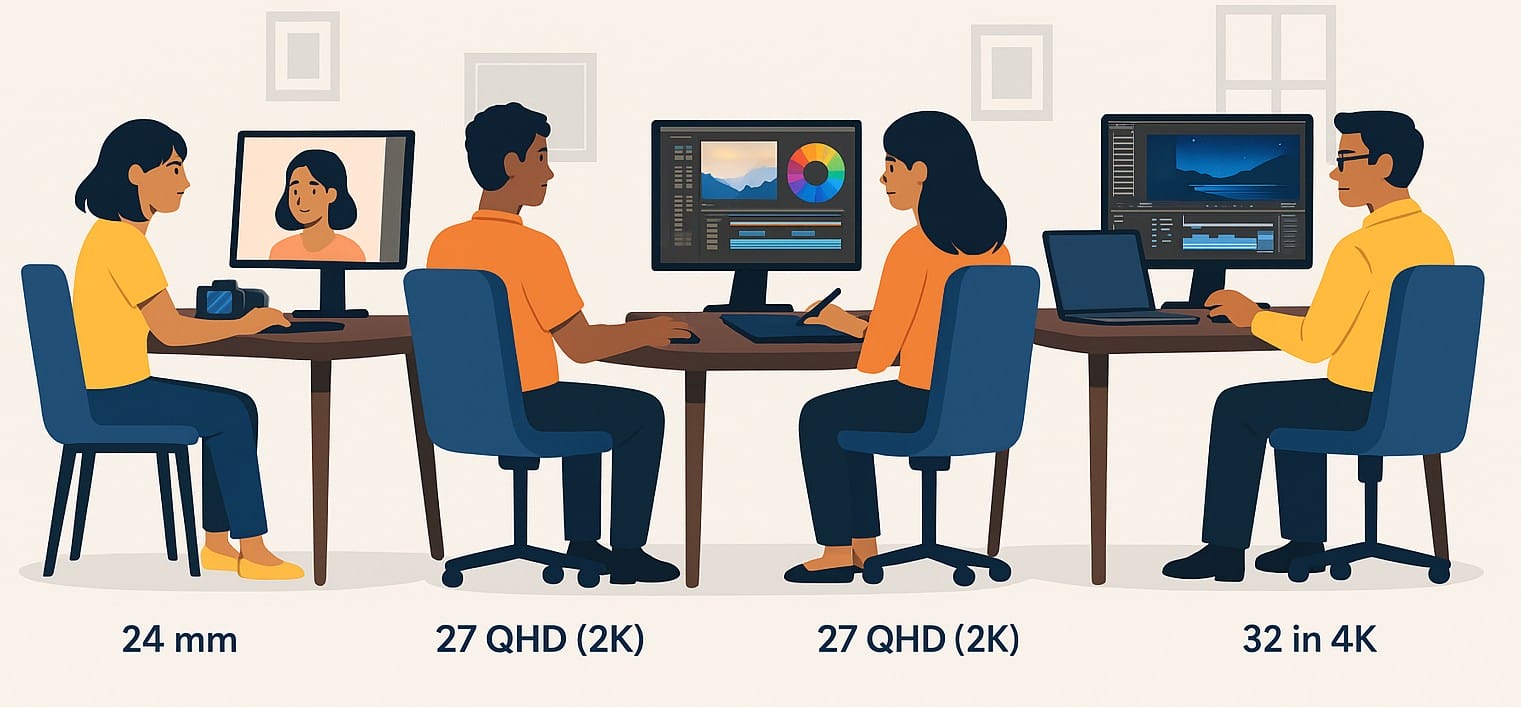
If you’re into photo editing, video color grading, digital design, or even printing wedding albums, you already know color isn’t just visual. It’s everything.
And the monitor you use either helps your work shine or quietly holds it back.
This post isn’t about flashy specs. It’s about helping Indian creators like you pick a monitor that does your work justice from thumbnail design to full-blown commercial video projects.
1. Who This Is Really For
- You shoot and edit wedding or product photos
- You run a YouTube channel and care about how your edits look
- You’re a student in animation, graphic design, or media
- You work freelance on posters, banners, social media creatives, or client reels
- You want true-to-life colors that don’t look washed out or oversaturated
2. What Matters More Than Resolution in Creative Work? Color Accuracy.
The monitor you use needs to show colors exactly as they are not a bit warmer, not a bit cooler.
That means:
- Your reds stay red (not pinkish)
- Your greys look balanced (not tinted blue)
- Your skin tones feel natural (not pale or too orange)
- What you edit is what you export and what clients or viewers will actually see
This is where color accuracy, panel type, and gamut support come in.
3. IPS: The Only Panel Type You Should Consider
IPS (In-Plane Switching) Monitors are the gold standard for any visual work:
- Consistent colors across the whole screen
- Great viewing angles (important if you move around or work with others)
- No weird shifts when you lean left or tilt the monitor
Avoid VA or TN panels for creative work they might be fine for movies or games, but they just don’t cut it for color precision.
4. Monitor Color Gamut: sRGB, AdobeRGB, DCI-P3 What’s the Right Fit for You?
| Color Gamut | Best For | Why It Matters |
|---|---|---|
| sRGB | YouTubers, web graphics, social media | Standard across browsers and platforms |
| AdobeRGB | Print work, magazines, digital photography | Captures more green/cyan tones for print accuracy |
| DCI-P3 | Cinematic editing, OTT, advanced YouTube editing | Wider color space used in film and HDR editing |
For most Indian freelancers and creators, 100% sRGB is the base. AdobeRGB or DCI-P3 only makes sense if you’re working in professional print or post-production.
5. Other Monitor Features That Actually Matter
Factory Calibration
Some monitors come pre-calibrated so you get accurate color right out of the box. Look for “Delta E < 2” on product pages it means your eyes won’t detect color shift.
Anti-Glare and Matte Finish
In Indian homes with bright sunlight or overhead lights, glossy screens can be distracting. Choose a monitor with matte coating for long editing sessions.
Proper Ports
- HDMI + DisplayPort are standard
- USB-C (with power and display) is great if you use a MacBook or modern laptop
- USB hubs help you connect drawing tablets, hard drives, or color calibration tools
6. What Indian Creators Often Learn the Hard Way
- “I edited a wedding video and it looked great on my screen but way too dark on the client’s TV”
- “Printed flyers came out with colors that didn’t match my monitor had to redo everything”
- “I bought a 4K monitor, but didn’t realize it didn’t support full AdobeRGB”
- “Never checked brightness my daytime edits looked dull at night”
- “I didn’t know you could calibrate a monitor now I do it every month”
These aren’t just technical problems they’re creative setbacks. And avoidable.
7. How Big Should Your Monitor Be for Photo or Video Work?
- 24” Full HD Screen is okay for beginner projects and basic YouTube editing
- 27” QHD (2K) display gives you space for your timeline, color tools, and browser side-by-side
- 32” 4K Screen is ideal for high-end work but only if your GPU can handle it
If you’re editing on a tight desk, 27” with QHD is the best value for most Indian creators today.
8. What to Expect (and Spend) Based on Your Creative Level
| User Type | What to Focus On | Suggested Specs |
|---|---|---|
| Beginner | Clear colors, anti-glare, stable image | 24-27″, IPS, 100% sRGB, Full HD |
| Freelancer | Gamut accuracy, comfort, long sessions | 27″, QHD, 100% sRGB/AdobeRGB, factory calibration |
| Pro Editor | Workflow speed, high precision | 32″, 4K, wide gamut, Delta E <2, USB-C, hardware calibration |
9. Your Art Deserves More Than Just a Basic Monitor
Every pixel you edit, every transition you adjust, every highlight you balance it all shows up on that monitor first.
If the screen lies to you, your final product lies to your client, your viewer, or your printer.
Choose a monitor that lets you trust what you see and share it with confidence.

