
How to Understand Smartphone Features Like a Pro
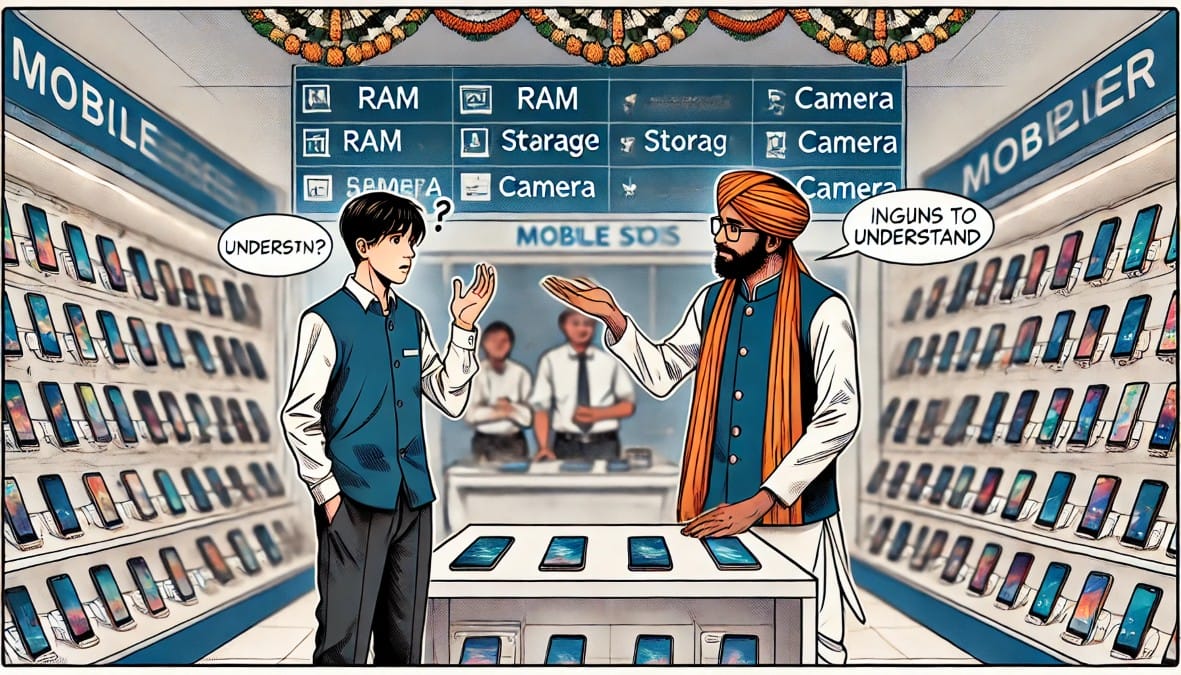
Confused by Phone Specs? You’re Not the Only One – Terms like RAM, UFS, 120Hz, Snapdragon, and 50MP AI Camera sound impressive but what do they really mean?
More importantly:
What do you actually need for daily use like WhatsApp, UPI, YouTube, and video calls?
This guide explains every important phone feature in simple, everyday language, with real-life examples and clear advice — so you can buy smart without getting lost in tech jargon.
1. RAM – The Multitasking Power
What It Does (Real Explanation):
RAM (Random Access Memory) temporarily stores data for apps that are currently running. The more RAM you have, the more tasks your phone can handle at once without slowing down. It’s critical for smooth app switching, loading speed, and keeping apps running in the background.
Analogy:
RAM is like your work desk. A small desk fits one book. A bigger desk lets you open multiple notebooks, keep your laptop running, and still have space to sip tea. If the desk is too small, you’ll constantly have to close one thing to open another — that’s how phones lag.
What Happens With Too Little RAM:
- WhatsApp reloads every time you reopen it
- YouTube pauses when you switch to UPI apps
- Online classes crash if background apps are open
- Games or social apps freeze randomly
What You Actually Need:
- 4GB RAM: Fine for elders, minimal users, or basic smartphones
- 6GB RAM: Best for average Indian users — handles UPI, WhatsApp, YouTube, Instagram smoothly
- 8GB+ RAM: Only if you play games, edit videos, or never close apps
Avoid the trap: Don’t choose 8GB RAM if you’re just watching YouTube. It doesn’t make your phone faster if you don’t use it.
2. Storage – Your Digital Carry Bag
What It Does (Real Explanation):
Storage is your phone’s internal memory. It holds your apps, photos, downloaded videos, chat backups, voice notes, and more. Low storage fills up quickly and leads to errors, lag, and failed updates.
Analogy:
It’s like a school bag. 64GB is a basic bag it fits books and lunch. 128GB gives you extra space for a water bottle, raincoat, and charger. 256GB is a suitcase useful if you carry everything with you all the time.
Why Storage Matters in India:
- WhatsApp media piles up fast (photos, videos, PDFs)
- UPI apps store receipts
- YouTube and Netflix downloads take space
- App sizes are growing even IRCTC, DigiLocker, and Maps eat space
What You Actually Need:
- 64GB: Fine for light users, elders, or secondary phones
- 128GB: Best balance most Indian users won’t run out for years
- 256GB+: Only needed for gamers, creators, or those who hate deleting old content
Many budget phones still offer expandable storage with SD cards. If you’re buying for a parent, this adds flexibility.
3. Processor – The Phone’s Brain
What It Does (Real Explanation):
The processor (CPU + GPU) controls how fast your phone responds, runs apps, handles games, and manages heat. A weak processor slows everything down — even if you have lots of RAM.
Analogy:
The processor is like the chef in your kitchen. A skilled chef (Snapdragon 7 or Dimensity 6100+) quickly prepares multiple dishes. A weak chef (low-end chip) takes longer and messes up under pressure.
Why It Matters in India:
- Your phone shouldn’t freeze during UPI payments
- Video calls must stay stable during multitasking
- No one wants heating during summer or charging
Types You’ll See (in Simple Words):
- Entry-level (Helio, Unisoc): Good for calling, WhatsApp, browsing, but avoid for gaming
- Mid-range (Snapdragon, Dimensity ): Perfect for Indian multitaskers – supports banking, video, chat apps all at once
- High-end (Snapdragon 8 Gen, Dimensity 9000): Ideal only if you’re gaming, editing, or future-proofing
How to Choose:
- Want smooth daily use? Go mid-range
- Only calls and WhatsApp? Entry-level is enough
- Need camera processing and gaming? Go high-end
Don’t fall for “Octa-core” only. All phones have 8 cores now what matters is the series and efficiency.
4. Camera MP – Big Numbers, Small Truth
What It Does (Real Explanation):
The camera’s MP (megapixels) tells you the size of the image — but not the quality. A bad 50MP camera can take worse pictures than a good 12MP one.
Analogy:
It’s like saying a bigger thali will taste better — but it’s the ingredients and cooking that matter. The lens, sensor size, and image processing define quality.
What Actually Affects Photo Quality:
- Sensor quality (how much light it captures)
- Stabilization (OIS/EIS helps reduce blur)
- Software optimization (some phones make colors look natural, others oversaturate)
- Night mode performance (for low light clarity)
Use Cases:
- Elders or simple users: Need decent front and back cameras for scanning, video calls
- Teens or social users: Need sharp front camera and filters
- Creators: Need stabilization, fast focus, and natural tones
What You Really Need:
- 13MP–16MP (back): Good for basic use
- 50MP (back) + 8/16MP (front): Great for all-around use
- OIS + ultra-wide / night mode: Only needed if photography is your hobby or job
Don’t trust AI Camera tags blindly – many are just marketing.
5. Battery – Your Phone’s Fuel Tank
What It Does (Real Explanation):
The battery keeps your phone alive. Bigger battery = more hours of usage. But size isn’t everything — charging speed and optimization matter too.
Analogy:
It’s like a water tank. A 5,000mAh tank lasts a whole day. A smaller tank may run out halfway. If you’re outside all day, a larger tank helps. But if your home has regular power, fast refill (charging) also works.
Typical Use in India:
- Streaming YouTube, Instagram reels
- Long calls with family
- Video classes or meetings
- Frequent UPI payments and scanning
What to Choose:
- 5,000mAh: Ideal for most people — lasts a day with comfort
- 6,000mAh+: Best for rural users, travelers, delivery partners, or heavy screen time
- Fast charging: Look for 18W, 33W or higher if you’re always on the move
Avoid phones with large batteries but slow 10W charging – they take hours to fill up.
6. Refresh Rate – Smoothness You Might Not Notice
What It Does (Real Explanation):
Refresh rate decides how smooth your screen feels when scrolling. Measured in Hz (times per second the screen refreshes).
Analogy:
It’s like flipping pages of a book. 60Hz = standard flipping. 90Hz = smooth. 120Hz = like flipping with wind behind you.
Who Actually Benefits:
- Gamers – who play high refresh rate games like BGMI
- Social media addicts – who scroll constantly
- Normal users – may not even notice the difference
What to Choose:
- 60Hz: Absolutely fine for UPI, video, calling, daily use
- 90Hz: Feels snappier, better without draining too much battery
- 120Hz: Only needed if your phone is high-end or you’re into smooth gaming
Don’t buy a phone only because it says 120Hz – you may end up sacrificing battery life and display quality elsewhere.
7. Screen Quality – What You Look At All Day
What It Does (Real Explanation):
The screen is the most used part of your phone — for reading, watching, typing, or video calls. Screen type, size, resolution, and brightness affect comfort and usability.
Analogy:
It’s like your TV at home. A bigger TV with clearer sound and brighter display makes the experience enjoyable — but it shouldn’t burn your eyes either.
What to Look For:
- Size: 6.5 inches is the sweet spot — large enough for videos, compact enough for one-hand use
- Resolution: HD+ is fine for casual users, but Full HD+ (1080p) is much sharper for text and videos
- Type:
- LCD: Cheaper, common in budget phones
- AMOLED: Vivid colors, better blacks, better battery efficiency
- Brightness: If it’s below 400 nits, outdoor visibility will suffer
What It Means for You:
- If you stream a lot: AMOLED + Full HD+ is worth it
- For parents or elders: LCD + large fonts + high contrast is key
- If you work on your phone: higher resolution reduces eye strain
Avoid phones that don’t let you adjust font size easily – especially if gifting to older users.
8. Audio – Don’t Settle for Low Volume or Muffled Calls
What It Does (Real Explanation):
Speakers and microphones handle media sound, ringtones, and call clarity. Many budget phones cut corners here — affecting everyday use.
Analogy:
It’s like talking in a noisy room. If your mic is poor or speaker is weak, the conversation suffers.
What to Look For:
- Stereo speakers (top + bottom): Louder, clearer media sound
- Call mic quality: Essential for WhatsApp calls, especially outdoors
- Audio tuning: Some phones offer boosted vocals, useful for elders
- Earphone jack or good Bluetooth audio: If you still use wired headsets or need clean wireless calls
What It Means for You:
- If you take calls in traffic or on-the-go, prioritize call clarity + loudspeaker
- For media watching, look for dual speaker setups or well-tuned single speakers
Poor call quality can make even a great phone frustrating – always check user reviews for this.
9. Security Features – It’s Not Just About Unlocking
What It Does (Real Explanation):
Modern phones offer multiple ways to unlock and protect your data. But not all methods are equal in speed or safety.
Analogy:
Your phone is like your house — you want a good lock on the main door, and maybe a locker inside too.
What to Look For:
- Fingerprint unlock: Fastest and safest — side-mounted or under display
- Face unlock: Convenient, but can be fooled (especially in low-end phones)
- App lock: Keeps banking or chat apps hidden
- Secure folder / guest mode: Good if you share your phone with kids
- Privacy dashboard (Android 12+) – Shows which apps access mic/camera/location
What It Means for You:
- For UPI or mobile banking, fingerprint unlock is a must
- If gifting to elders, set up a simple PIN along with fingerprint
- Always enable screen lock — even if the phone is for kids
Avoid using pattern locks – they’re easier to guess and smudge trails give them away.
10. Durability – Because Phones Do Fall
What It Does (Real Explanation):
Build quality affects how long your phone lasts — especially in the hands of kids, elderly parents, or busy commuters.
Analogy:
It’s like choosing a phone cover – it doesn’t just need to look good, it must protect from slips and accidents.
What to Look For:
- Plastic backs: More drop-resistant than glass in most cases
- Glass front with Gorilla Glass (or equivalent): Scratch resistance
- IP rating (IP52, IP54): Basic splash and dust protection
- Pre-included case + screen guard: Saves money and adds instant protection
What It Means for You:
- Buying for kids or elders? Prioritize grip, weight, and impact resistance
- Glass phones look premium but are more fragile – be careful when gifting them to someone who drops things often
Get a transparent case with raised edges – it protects without hiding the phone’s look.
11. Signal & Network Strength – The Invisible Essential
What It Does (Real Explanation):
Signal quality determines how well your phone connects — for calls, mobile data, and even battery life (weak signal = more battery drain).
Analogy:
A powerful phone with weak signal is like a sports car stuck in traffic — the performance means nothing.
What to Look For:
- Multiple 4G/5G band support: Helps stay connected in rural or fluctuating networks
- Carrier aggregation: Improves data speeds
- VoWiFi (Wi-Fi calling): Great for indoors where mobile signal is weak
- SAR value (optional): Indicates safe radiation levels
What It Means for You:
- If you live in a low-signal area, choose phones known for strong antenna performance
- For travel or delivery jobs, dual SIM + reliable reception is critical
Some budget phones cut corners on signal strength – check reviews that mention “call drops” or “signal issue.”
12. Software Experience – The Part You Can’t See, But Always Feel
What It Does (Real Explanation):
The software (UI) controls how everything looks and works — your home screen, menus, settings, and notifications.
Analogy:
It’s like the furniture and layout in your house — if it’s messy and full of stuff you didn’t ask for, you’ll feel stressed.
What to Look For:
- Stock Android or Clean UI (like Samsung One UI, Motorola MyUX)
- Avoid brands with ads or “recommendations” in notifications
- Check Android version – aim for Android 13 or above in 2025
- Look for 3-4 years of software/security updates
What It Means for You:
- Clean UIs run faster, use less RAM, and don’t annoy you with pop-ups
- Gifting to elders? Avoid cluttered or complicated UIs
Go through the phone’s settings and disable recommendations, lock screen stories, or pop-up offers as soon as you set it up.
Smartphone Feature & Specifications: Summary
| Feature | What It Does | What to Understand |
|---|---|---|
| RAM | Helps run multiple apps at once | More RAM = smoother multitasking |
| Storage | Holds photos, apps, videos | 128GB is common, but depends on your habits |
| Processor | Runs everything inside the phone | Mid-range chips are good enough for most users |
| Camera MP | Determines image size (not quality) | Quality depends on software, not just megapixels |
| Battery | Powers the phone all day | 5,000mAh is a good balance |
| Refresh Rate | Smoothness of screen movement | 60Hz is fine, 90/120Hz is a bonus |
| Screen Type | Affects viewing comfort | AMOLED gives better colors and contrast |
| Audio | Speaker and mic quality | Important for calls and media use |
| Security | Protects your data and privacy | Fingerprint + PIN is a safe combo |
| Durability | Affects how much wear the phone can take | Look for splash resistance and good build |
| Signal Strength | Keeps you connected | More bands = better coverage |
| Software / UI | How your phone looks and feels | Clean UI = smoother, less annoying experience |
Final Thought: Understand the Features, Then Choose What Matters to You
You don’t have to memorize specs.
You just need to know:
- What a spec really does
- Why it’s useful (or not)
- And how it connects to your daily life
Once you understand these terms RAM, storage, processor, camera, battery, and beyond you’ll never feel lost in a phone shop again.
So next time someone throws specs at you, you’ll know exactly what they mean and what actually matters.your life not just the trend.

