
Complete Smart Home Security – Cameras, Locks & Alerts
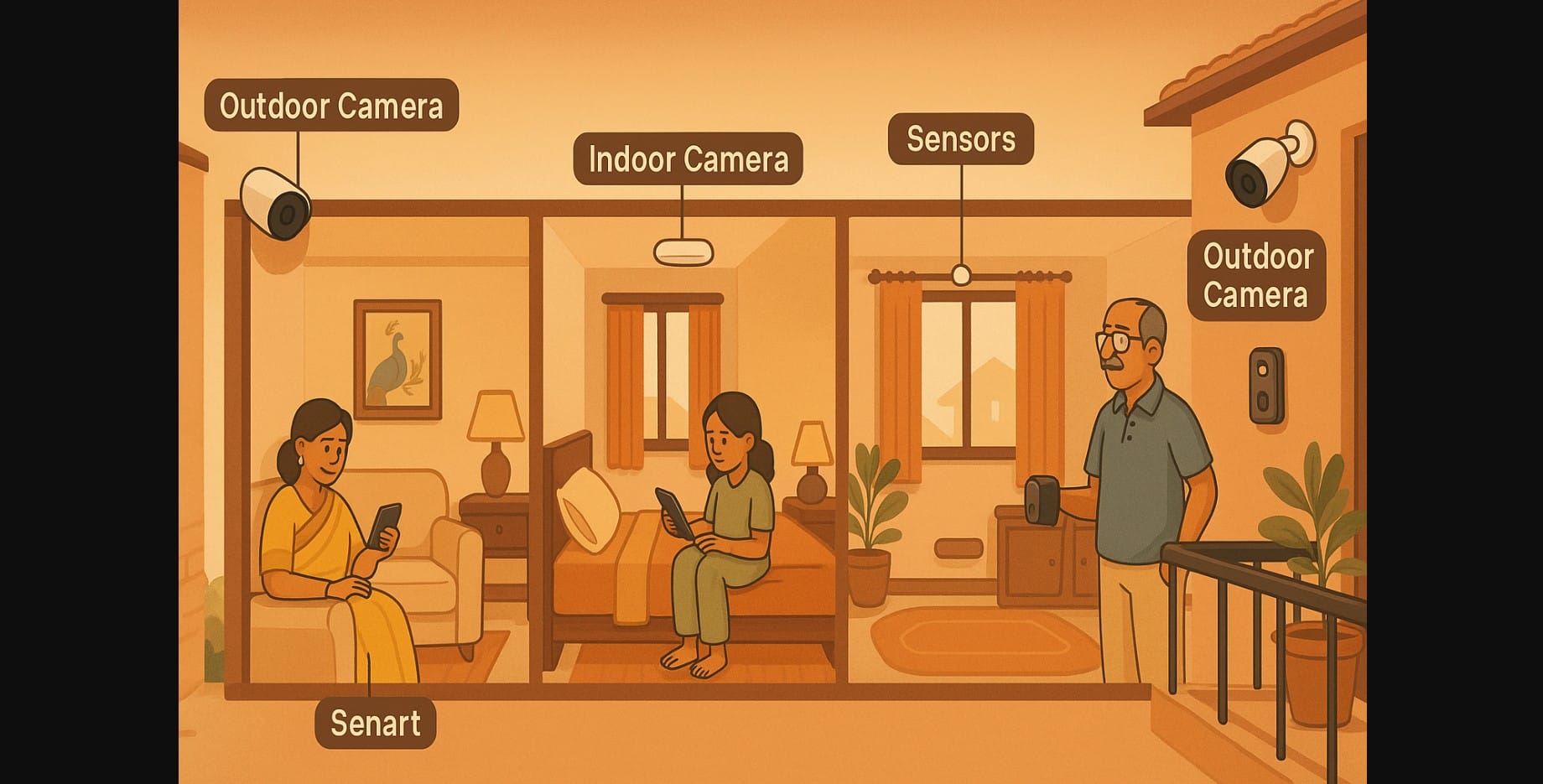
Not every security issue in India is about high crime it’s often about the little things.
- You’re out when the maid arrives
- Elderly parents are home alone
- You want to know when a package arrives
- Or just ensure your home feels safe at night
Smart home tech isn’t just convenient; it’s also a protective layer that works quietly in the background to help you feel secure about your home.
Let’s break down how to build a realistic, affordable smart home security setup in India for all kinds of homes.
Smart Security Is Not One Device It’s a Layered System
Your home doesn’t have just one door. Similarly, a smart home setup shouldn’t rely on just one gadget.
A truly secure smart home includes:
- Eyes – smart cameras
- Ears – sensors and alerts
- Locks – access control
- Voice & visibility – smart doorbells
- Brain – your routines, apps, and emergency response plan
You don’t need all of these at once. But understanding how they work together helps you build security gradually and meaningfully.
Layer 1: Smart Cameras – Know What’s Happening, Anytime
You’ve likely already read our full guide on [smart security cameras for Indian homes], but here’s the key:
- Use indoor cameras to check in on elders, kids, or help
- Use outdoor cameras to monitor gates or balconies
- Prefer models with motion alerts, cloud storage, and good night vision
If power cuts are common, go for cameras with battery backup or connect them to your inverter circuit.
Layer 2: Smart Doorbells – See, Speak & Screen Visitors
Already covered in our [smart doorbell post], but worth reinforcing here:
- Helps you speak to visitors when you’re not home
- Acts as a deterrent with motion alerts
- Records clips automatically for deliveries or unexpected visitors
- In flats or gated societies, helps validate staff and guests before opening
It’s a simple upgrade that adds a lot of peace of mind especially for working professionals and elderly households.
Layer 3: Door Sensors, Motion Detectors & Smart Lights
These small, often ignored devices can quietly protect entry points and react faster than cameras.
- Place door/window sensors on your balcony or kitchen backdoor
- Use motion sensors to detect movement near staircases, passages, or gate areas
- Pair motion with smart bulbs lights come on when someone walks in, even when you’re asleep
In a rural or two-storey setup, this combination gives you non-intrusive alerts that feel natural and automatic.
Layer 4: Smarter Locking and Entry Control
Smart locks are especially useful when:
- You want to assign a guest PIN for staff
- You need to check if your main door is locked while away
- You want to avoid hiding keys under the doormat
Choose models that offer:
- App access + physical key override
- Alerts for forced entry or failed attempts
- Auto-lock timers for forgetful exits
We’ve already broken this down in our [Indian smart lock guide], so here’s the takeaway: choose what suits your door type (wood, metal, gate) and don’t overcomplicate it.
Layer 5: Emergency Routines, Alerts & Family Coordination
This is where smart security becomes truly personal not just surveillance, but response.
Examples:
- Create a “Leaving Home” routine that:
- Turns off plugs
- Arms cameras
- Sends a confirmation alert
- Create a “Night Mode” that:
- Locks doors
- Activates motion lighting
- Mutes indoor alerts but logs movement
- Set up shared alerts via:
- Your smart assistant (“motion detected at main door”)
- Push notifications to all family members’ phones
- WhatsApp messages via 3rd party automation (if supported)
This layer is what turns “just having cameras” into feeling protected, even if you’re on a trip or stuck in traffic.
Tailoring Security by Home Type in India
| Home Type | Smart Layers That Matter Most |
|---|---|
| Gated society flat | Doorbell, indoor cam, basic door sensor, scheduled routines |
| Independent house | Outdoor cam, smart lights, motion sensors, door lock |
| With part-time help | Indoor cam, smart lock (guest PIN), visitor alerts |
| With elders or kids | Indoor cam, voice assistant alerts, panic routine buttons |
| Travel-heavy lifestyle | Cameras + motion lighting + cloud alerts + app-based door locks |
Don’t Forget This: Smart Security Needs Smart Wi-Fi Too
We’ve covered this fully in our smart home network safety post, but quick reminders:
- Keep your router on UPS or inverter
- Use strong passwords and limit device sharing
- Update your camera and lock apps regularly
- Don’t share admin access with helpers or guests
Even the best security setup fails if your Wi-Fi drops every few hours.
Home Alone? Travelling? Working Late? Secure It All
You’re not installing smart tech for show. You’re installing it to protect:
- Your parents
- Your child
- Your home
- Your comfort
And you can do it one step at a time:
- Add visibility with cameras
- Control access with locks and sensors
- Respond calmly with smart alerts and routines
The best smart home security quietly observes your surroundings so you can enjoy your life.

