
Gaming on Android & Google TVs in India – Console, Controller & Settings
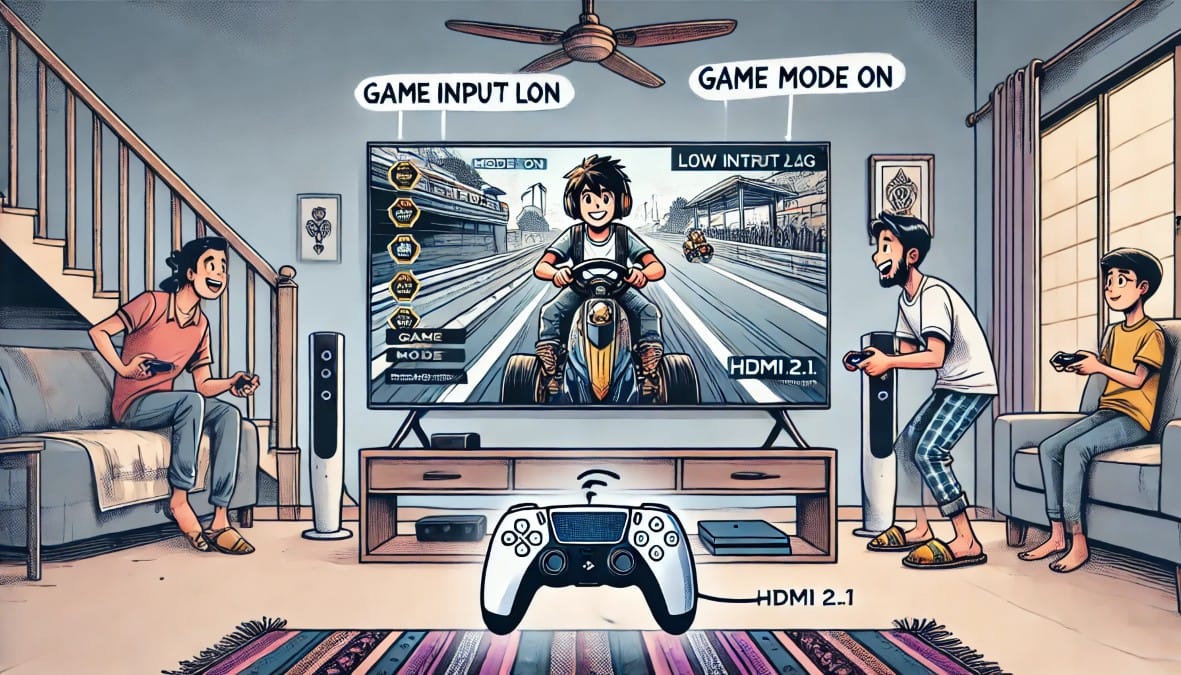
Smart TVs Are No Longer Just for Watching – You may think your smart TV is only good for Netflix, cricket, and YouTube but in 2025, many TVs in Indian homes can handle a lot more, including gaming.
Whether you’ve got a PS5 or Xbox, or you’re just curious if that Bluetooth controller lying around can work with your Fire TV or Android TV, this guide breaks it all down.
We’ll cover:
- Which smart TVs work well for gaming
- What you can (and can’t) do without a console
- Which settings improve gameplay
- How to connect your controller the right way
Let’s clear the confusion and show you what’s actually possible when it comes to gaming on your smart TV right here in India.
1. Can You Game on a Smart TV Without a Console?
Yes, you can but with a few limits.
If your TV runs Android TV, Google TV, or even Fire OS, it likely has access to:
- Light casual games from the Play Store
- Game emulators for retro games
- Support for basic controllers via Bluetooth
- Screen mirroring features (for Android phones)
Some TVs also support Steam Link or other cloud gaming apps, but these require strong Wi-Fi and aren’t officially supported in India yet.
Think of these options as fun for casual gaming or nostalgia not for competitive play or fast-twitch action.
Good for: platformers, racing games, retro titles, puzzle games
Not great for: high-speed FPS, online multiplayer, pro gaming
2. Console Gaming on Smart TVs (PS5 & Xbox Series X)
If you own a console, your smart TV becomes a powerful screen but only if it supports the right features.
Here’s what matters:
- HDMI 2.1: Needed to play at 4K 120Hz. Without it, you’re stuck at 60Hz.
- Game Mode: Disables heavy image processing, which reduces input lag. Always turn this on.
- VRR / ALLM: These are gamer-focused features. VRR adjusts refresh rate to reduce tearing. ALLM lets the TV auto-switch into Game Mode when it detects your console.
- eARC: If you’re using a soundbar, connect it via HDMI eARC to enjoy proper surround audio while gaming.
TVs like LG C series, Sony Bravia X/XR models, and some Samsung QLEDs offer great gaming support. Budget Android TVs? Not so much.
3. Want to Game Without a Console? Here’s What’s Possible
You don’t need a PlayStation or Xbox to play games on your smart TV. Here are four popular ways Indian users game without consoles:
A. Android TV / Google TV Games
Install games directly from the Play Store. You’ll find titles like:
- Asphalt 8
- Crossy Road
- Dead Trigger 2
Most of these work better with a Bluetooth controller than a TV remote. Keep in mind: not all Android games are optimized for TV or controllers, so test a few before settling in.
B. Screen Mirroring from Your Phone
Want to show your phone game on your big screen? Use:
- Chromecast (Google TV, Android TV)
- Miracast / Wireless Display (Windows, some Android phones)
It’s best for slow-paced games. High-speed action titles will lag—so this is better for chess, Ludo, or emulator-style gameplay.
C. Steam Link / Remote Play
If you have a gaming PC, you can install Steam Link on your Android TV and stream games directly from your PC over the same Wi-Fi.
This works surprisingly well if you:
- Have a stable 50 Mbps+ connection
- Pair a proper controller
- Stay close to your router
But don’t expect perfection—it’s great for single-player games, not online shooters.
D. Retro Emulation
Yes, you can play NES, SNES, or PSP games on your smart TV using emulator APKs (like RetroArch or PPSSPP). You’ll need to sideload the app and configure it manually, but it’s a fun project for nostalgic gamers.
4. What Kind of Controller Do You Need?
Here’s the good news: You don’t need a special “TV controller.” Most Bluetooth gamepads work just fine with Android, Fire, or Google TVs.
Here’s how popular controllers connect:
| Controller Type | Works With | Notes |
|---|---|---|
| PS4 / PS5 DualShock | Android TV, Fire TV, Google TV | Hold Share + PS button to pair |
| Xbox Bluetooth Controller | Same as above | Long-press sync button |
| Generic Bluetooth Gamepads | Android TV, some Fire TV | Usually plug-and-play |
| Wired USB Gamepads | Android TVs with USB port | May require OTG cable |
After pairing, test it inside a game not all games accept input even if the controller pairs.
5. How to Optimize TV Settings for Better Gaming
Even the best TV won’t deliver smooth gaming if your settings are wrong.
Check these on your TV:
- Enable Game Mode: Always the first step. Reduces input lag by up to 50%.
- Turn off Motion Smoothing (MEMC): This adds blur and can make games feel laggy.
- Use “Standard” or “Game” Picture Mode: Avoid “Vivid” or “Cinema” when gaming.
- Set Overscan/Zoom to 0%: Ensures you see the full screen.
Most TVs have these under Picture Settings → Advanced Settings.
6. TV Limitations You Should Know Before You Get Excited
Smart TVs are surprisingly capable but not perfect.
- Input Lag: If your TV takes more than 30ms to respond to a button press, gameplay will feel delayed.
- Weak Bluetooth: Cheap TVs may drop controller connections or fail to pair entirely.
- Limited RAM: Android TVs with 1 GB RAM or less will struggle to keep games running smoothly.
- No HDMI 2.1? No 4K 120Hz for PS5/Xbox.
If you’re serious about performance, invest in a mid-range or premium TV with known gaming support.
7. What Works, and What Doesn’t? (Quick Reference)
| Gaming Type | Works on Smart TV? |
|---|---|
| Android TV casual games | Yes – great for kids/family |
| PS5/Xbox gaming | Yes – with HDMI 2.1 + Game Mode |
| Mobile screen mirroring | Yes – best for slow games only |
| Steam Link / Remote Play | Yes – needs fast Wi-Fi |
| Fast-paced FPS online games | Not ideal – input lag hurts performance |
| Retro emulator games | Yes – with sideloaded apps + controller |
Final Thoughts: Gaming on a Smart TV Is Real – But Not Perfect
Gone are the days when you needed a console or gaming laptop to enjoy games at home. In 2025, your smart TV can handle more than you’d expect.
Just remember:
- Don’t expect esports-level performance
- Stick with casual or console gaming
- Use proper settings and a compatible controller
- Upgrade your TV only if you care about refresh rate and lag
If you’re already using a smart TV, try out a few games, it might surprise you.

