
Don’t Just Buy 144Hz – Choose the Monitor That Matches Your Gaming PC or PS5
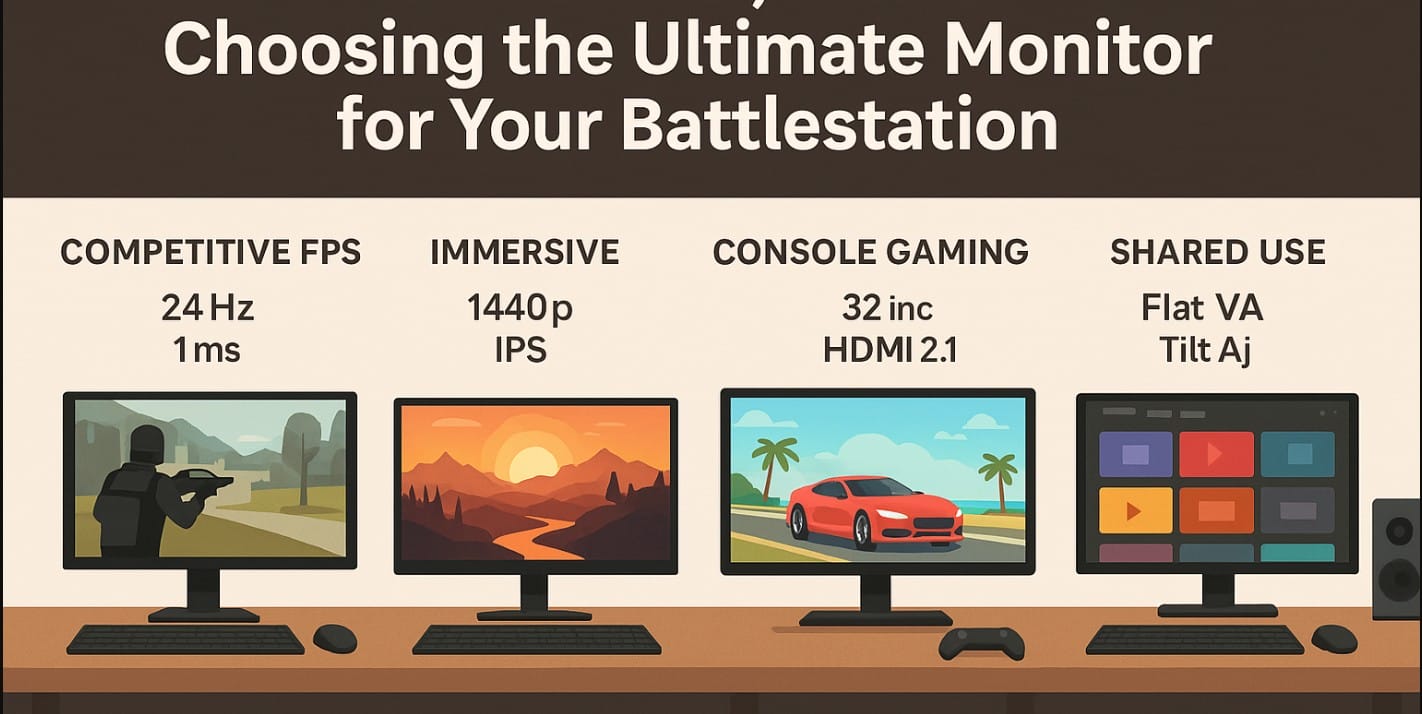
You’ve got your rig, your headset, your RGB keyboard but your screen? That’s the window to everything. Whether you’re pushing frames in Valorant or getting lost in Elden Ring, the monitor you choose makes or breaks the experience.
And in India, your monitor isn’t just about gaming. You deal with space crunch, power cuts, and mixed usage. That’s why this guide is built for how Indian gamers actually play from console lounges to crowded study tables.
1. What Indian Gaming Setups Really Look Like
Not everyone has a streaming studio or a wide table. Most Indian battlestations are built in:
- Shared bedrooms or study corners
- Modest desks with limited cable space
- Setups powered through inverters or UPS
- Environments with bright rooms during the day and dark gaming at night
That’s why you need to think beyond just “144Hz and done.”
2. What Panel Type Actually Feels Better to Play On?
IPS – The All-Rounder
Crisp visuals, wide angles, great for both gaming and OTT. Ideal for mixed-use battlestations and single-player story games.
VA – Deeper Blacks, Better for Immersion
Perfect for dark scenes and cinematic games. Works great for console setups and movie + game combos. May ghost a bit in competitive titles.
TN – Fast but Fading
Only if you need raw speed and you’re tight on budget. Great for CS:GO, but poor color and angle limits make it outdated for casual gamers.
3. How Much Refresh Rate Do You Really Need?
| Refresh Rate | Suits These Games | Verdict |
|---|---|---|
| 60Hz | FIFA, single-player, console games | Still okay for PS4, Switch, OTT users |
| 75Hz | Indie games, basic esports | Slightly smoother, noticeable for casual PC play |
| 120Hz/144Hz | FPS, competitive multiplayer | The Indian gamer sweet spot for serious play |
| 165Hz+ | Hardcore esports setups | Only if you have a matching GPU and budget |
Don’t chase 240Hz if your GPU can’t handle 144+ FPS consistently.
4. Monitor Response Time, Input Lag & Real Feel
- Look for 1ms GtG or MPRT if you play reaction-based games
- Console gamers can live with 4-5ms, but fast action titles benefit from faster screens
- Input lag under 5ms ensures no delay between your move and what appears on-screen
- In Indian conditions, panel wake time also matters (some monitors take 3-5 sec to wake up after standby)
5. What Screen Size and Resolution Work Best?
24″ Full HD (1080p)
Perfect for tight desks, FPS gaming, and focus-based play. Budget-friendly and easy to power on mid-range GPUs.
27″ QHD (1440p)
Best for immersive play, RPGs, and multitasking. Needs stronger GPU, but delivers crisp detail without crowding your desk.
32″ 4K
Only if you’re into cinematic games or console play from a distance. Requires high-end GPU or PS5/Xbox Series X.
If you’re sitting within 3 feet, 24″ or 27″ is ideal.
6. Don’t Forget Ports Especially for Console and Dual Setups
- DisplayPort 1.4 for high refresh on PC
- HDMI 2.0 or 2.1 for consoles at 1080p/4K with 120Hz
- Audio out for external speakers useful in noisy homes
- USB-C is a bonus for streamers and cable management (cam, mic, capture cards)
7. What Monitor Features Actually Help?
- AMD FreeSync / NVIDIA G-Sync Compatible: Prevents screen tearing
- Low Input Lag Mode / Game Mode Presets: Easy access during matches
- Black Stabilizer / Crosshair Overlay: Great for PUBG, Warzone, horror games
- Tilt and height adjust stands: Helps when you switch from gaming chair to bean bag
- Wall-mount compatibility: Saves space, especially in shared rooms
8. Mistakes Many Indian Gamers Still Make
- Buying only by refresh rate then struggling with washed-out colors or missing audio out
- Ignoring service reach especially important for MSI, ASUS, and lesser-known brands
- Overpaying for HDMI 2.1 when their console or PC doesn’t support 4K 120Hz
- Choosing curved panels without checking if the desk depth can handle it
9. The Small Accessories That Level Up Your Gaming Computer
- Long braided HDMI/DisplayPort cables for clean routing
- Mini soundbars or bookshelf speakers for immersive audio
- Monitor arms if you want to reclaim desk space
- UPS for smooth gameplay during voltage drops
10. A Killer PC Gaming Setup Starts with the Right Monitor
In India, gaming is creative. It’s DIY. It’s done in bedrooms, hostels, home offices, and shared spaces.
Your computer might not be flashy but with the right screen, it can feel fluid, immersive, and competitive. Think about what you play, where you sit, and how you move and pick the monitor that fits that world. Because performance isn’t just about specs. It’s about how fast you can see, feel, and react in the moment.

