Your smart home isn’t just yours. It’s also your parents’, your kids’, your helper’s, and your guests’ whether you planned for that or not.
From turning on a fan to checking who’s at the door, smart devices are now a part of everyday Indian life. But without properly managing access, these devices can become confusing, misused, or even unsafe.
This guide will help you share your smart home the right way so everyone in the house can enjoy the comfort without compromising on control or privacy.
1. Why Shared Access Matters More in India?
Indian households are dynamic:
- Children grow up around tech
- Elderly parents need simplicity
- Helpers or guests may interact with devices
- You may have shared spaces and multiple users per room
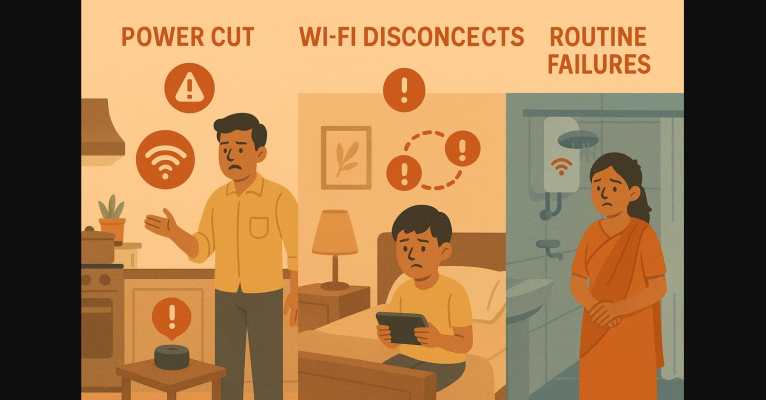
And here’s where the problems begin:
- Kids say “OK Google” but get no response
- Elderly family members struggle with the app
- Someone turns off your geyser in the middle of your bath
- Guests accidentally trigger routines meant for others
Without shared access setup, a smart home becomes a one-person control center. But it doesn’t have to be.
2. Managing Smart Home Access on Google Assistant
Step 1. Add Everyone to the Same Google Home
- Open the Google Home app
- Tap Settings – Household
- Add each family member’s Gmail address
- They’ll now see and control devices from their phone too
Step 2. Enable Voice Match
- Go to Google Home app – Settings – Google Assistant – Voice Match
- Each user speaks a few sample phrases
- Google Assistant now recognizes them individually
Benefits:
- Personalized responses: calendar, reminders, playlists
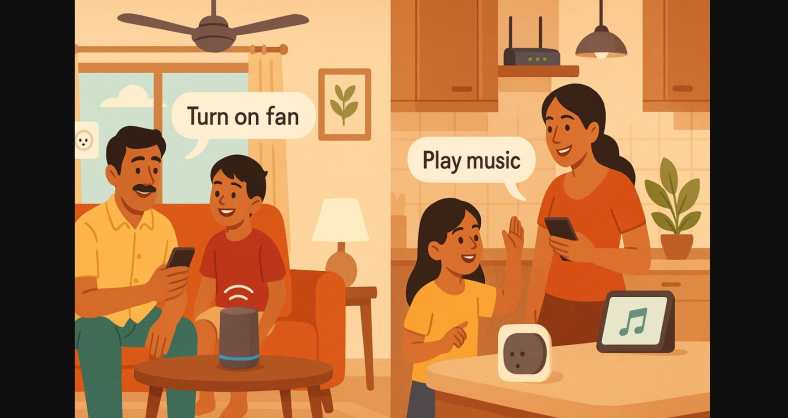
- Everyone can control the same devices with their voice
- Children can trigger “Study Time” or “Lights Off” routines on their own
3. Sharing Access on Amazon Alexa
Step 1. Add Household Members
- Open the Alexa app
- Go to More – Settings – Your Profile & Family – Add Someone
- Link another Amazon account or create a profile
Step 2. Create Voice Profiles
- Ask each person to say “Alexa, learn my voice”
- They’ll get a personalized profile with music, routines, and settings
- You can control what each profile can access
- Great for multi-user homes with specific routines for parents, kids, or helpers
4. Which Smart Devices Should Be Shared and Which Shouldn’t?
| Device Type | Share with Family? | Share with Guests or Helpers? | Notes |
|---|---|---|---|
| Smart Plugs | Yes | Only if needed | Use timers to avoid misuse |
| Smart Lights | Yes | Yes | Group by room for easy control |
| Smart Cameras | Only trusted | No | Avoid sharing live feeds |
| Voice Speakers | Yes | Use Guest Mode | Review activity logs regularly |
| Routines | Yes (custom ones) | No | Avoid accidental triggers |
5. For Smooth Multi-User Experience
- Rename devices clearly: “Bedroom Light,” “Kitchen Geyser”
- Use simple routine names like “Goodnight,” “Study Time,” “Chai Time”
- Add regional language support (Google Assistant supports Hindi & Hinglish)
- Use scheduled routines to reduce accidental triggers
- Teach elderly users just one or two phrases keep it simple
- Set clear voice PINs for purchases or sensitive tasks
6. What About Guests or Temporary Visitors?
In India, you may have relatives staying over, helpers who clean, or friends dropping by. Here’s how to keep it secure:
- Create a guest Wi-Fi network just for smart home access
- Don’t share your main Google or Amazon account login
- Use Alexa Guest Connect or Google’s guest mode (for quick music control)
- Temporarily disable voice routines if needed
- Use app-based control on your own phone when guests are around
7. How to Revoke or Limit Smart Home Access Anytime
- Google Home: Go to Household – Remove user
- Alexa: Disable voice profile or remove household member
- For devices: Unlink from specific rooms or set offline temporarily
This is especially useful after guests leave or if a routine is being misused.
8. Keep Control While Sharing
A smart home isn’t truly smart until everyone living in it can use it comfortably. That means:
- Your parents don’t need to call you to turn on the geyser
- Your child can say “Study Time” and lights dim automatically
- Guests don’t feel lost and your privacy isn’t compromised
With just a little setup, your smart home becomes shared, secure, and effortless for everyone.