
Beat the Heat & Dust: How to Keep Your Xbox Cool and Clean in India
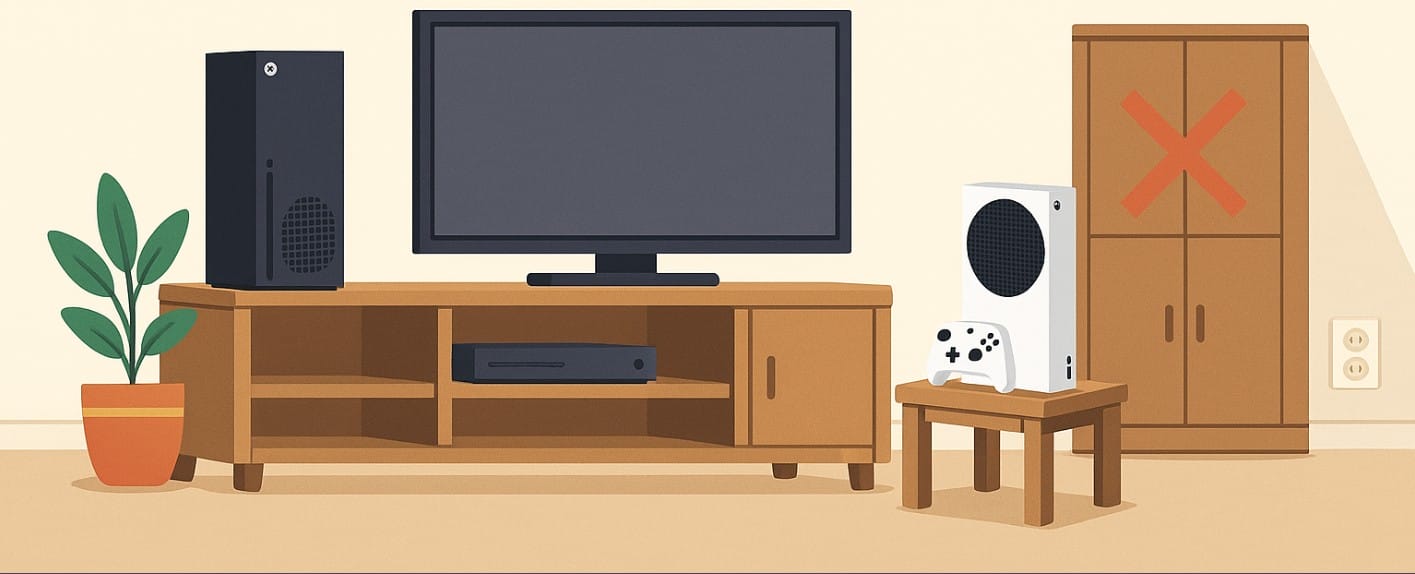
You’ve invested in an Xbox Series X or Series S but where you place it in your home can directly impact performance, heat buildup, and even lifespan.
In India, with cramped spaces, summer heat, and dusty environments, bad placement is more common than you think.
This guide shows you how to position your Xbox the right way, whether you live in a city apartment or a shared hostel room.
1. Know Your Xbox Cooling Style Before Choosing a Spot
Why Series X Needs Room to Breathe Vertically
The Series X is a vertical powerhouse with a large top exhaust fan and side intakes.
- Ideal placement is standing upright, allowing hot air to exit freely from the top.
- The bottom and sides need space too, so avoid wall corners or closed slots.
Why Series S Is More Flexible But Still Needs Airflow
The Series S is compact and flat, with vents on the top and side.
- Can be placed horizontally or vertically, but horizontal is easier to manage in Indian TV setups.
- Don’t cover the black circular vent it’s where hot air escapes.
2. Common TV Units May Be the Worst Place for Your Xbox
Closed Cabinets Trap Heat Avoid Them If Possible
Many Indian homes use wooden TV cabinets with little to no ventilation. These spaces trap heat quickly, especially in summer.
If you must use a cabinet:
- Keep the back panel open or drill ventilation holes.
- Leave 10-15 cm space around all sides.
Better Alternatives for Airflow and Safety
- Use open shelves, desks, or side tables away from walls.
- Avoid placing consoles on pillows, carpets, or foam, which block the bottom vents.
- Keep consoles off the floor to reduce dust intake.
3. Vertical vs Horizontal Xbox Placement?
Vertical with Series X
- The design is optimized for vertical cooling the fan pushes air upward.
- Make sure nothing hangs above it (like a wall-mounted AC or shelf).
Horizontal with Series S Compact and Cabinet-Friendly
- Horizontal placement fits nicely under TVs or monitors.
- Ensure the vented side faces out into open air and isn’t pressed against furniture or books.
4. Don’t Ignore Heat, Dust, and Sunlight
Keep It Away from Heat Sources and South-Facing Windows
- Avoid placing consoles near windows where direct sunlight enters in the afternoon.
- Curtains or window films can help reduce indoor heat.
Stay Clear of Kitchens and Balconies
- Indian kitchens often produce fine oil mist bad for vents and fans.
- Dust and moisture from balconies or road-facing rooms can clog filters quickly.
Clean Surrounding Areas Weekly
- Use a dry brush or blower around the vent areas (never open the console).
- Keep surfaces clean to prevent dust buildup.
5. Should You Buy Xbox Cooling Accessories?
Cooling Stands: Useful in Hot, Non-AC Homes
- Vertical stands with built-in fans help in high ambient temperature homes (especially if you game for hours).
- Check for Xbox-certified cooling docks unverified ones may damage ports or overheat themselves.
Dust Covers and Vent Filters Can Be Worth It
- In areas near construction zones or dusty cities (like Delhi, Jaipur, or Nagpur), consider clip-on mesh filters for vents.
- Use a breathable dust cover when the console is not in use but never cover it while powered on.
6. Placement Mistakes That Can Overheat or Damage Your Xbox
- Don’t stack objects (modems, books, phones) on the console.
- Don’t use a drawer or sealed cabinet during gaming heat will build up fast.
- Avoid corner placement where vents face the wall or furniture.
- Don’t block power brick airflow if you’re using Xbox One or accessories.
7. Xbox Smart Setup for Small Apartments and Shared Rooms
Make Space with Wall-Mounted Shelves
- For Series S users, a wall shelf beside or below the TV frees up space and improves airflow.
Use Rolling Trolleys or Side Tables
- Great for shared spaces where consoles need to move between rooms.
- Helps you maintain clearance and access for cables and ventilation.
Organize with Vertical Docks and Cable Clips
- Use controller stands or charging docks to reduce desk clutter and avoid heat traps.
- Cable clips prevent tangled wires near vents.
8. Recap: Xbox Placement and Cooling Checklist
| Console | Placement | Cooling Tips |
|---|---|---|
| Series X | Vertical on open shelf or table | Leave top and side space; avoid cabinets |
| Series S | Horizontal under TV or on desk | Keep side vent clear; no stacking |
| Common to Both | Avoid closed boxes, floor, carpets | Use surge protector, dust covers, weekly cleaning |
| Hot Weather Use | Add cooling stand or desk fan | Avoid direct sun, kitchens, balconies |

