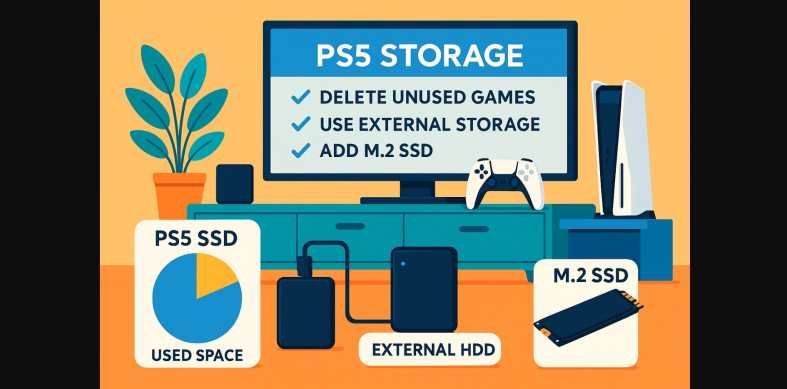
If your PS5 is already full and you’re only a few games in you’re not alone. With only around 667GB of usable storage, most Indian users run out of space quickly, especially with today’s massive game sizes and frequent updates.
The real issue? Unlike older consoles, you can’t just plug in any drive or delete and re-download casually Indian data plans, slow Wi-Fi, and limited storage expansion make it a real challenge.
Here’s how to take control of your PS5 storage in India.
1. Why Your PlayStation 5 Fills Up So Fast?
Your PS5 might come with an 825GB SSD, but after system files, only 667GB is usable.
Here’s why that fills up fast:
- Call of Duty: 100+ GB
- Hogwarts Legacy: 85+ GB
- Spider-Man 2: 90+ GB
- FIFA, GT7, God of War all 50-90 GB each
In just 4-5 major titles, you’re nearly full.
Add to that:
- Massive game updates (10-40GB each)
- Limited or slow home broadband
- Data caps on 100GB/month or 300GB/month plans
Suddenly, you’re deleting something just to install the next thing.
2. What the PlayStation 5 Actually Gives You for Storage
| Storage Spec | Detail |
|---|---|
| Advertised Capacity | 825GB SSD |
| Usable Space | ~667GB (after OS + reserved system space) |
| Performance | Ultra-fast NVMe SSD – required for PS5 native games |
| Game Support | Only PS5 games need internal SSD, PS4 games can be moved |
3. Don’t Let Auto-Updates Waste PS5 Data and Space
In India, bandwidth is precious and background updates eat it fast.
Here’s what to do:
- Go to Settings > Saved Data and Game/App Settings > Automatic Updates
- Disable auto-update downloads if you don’t need them for every game
- Only enable for frequently played online games (e.g., FIFA, Warzone)
Also:
- Delete PS4 versions of games if you’ve switched to the PS5 upgrade
- Remove screenshots and video clips you don’t need (they add up fast)
4. Expand Your PlayStation 5 Storage Without Replacing the SSD
External Storage (for PS4 games & backup)
- Use any USB 3.0 external HDD/SSD
- Great for storing and playing PS4 titles
- Can also move PS5 games temporarily (store only, not playable)
| Device Type | Use | Cost Range |
|---|---|---|
| External HDD | Cheap, good for PS4 games | ₹3,000-₹6,000 |
| External SSD | Faster, quieter | ₹6,000-₹10,000 |
Note: You can’t play PS5 games directly from external drives, but you can store them to avoid redownloading later.
5. Want Real Expansion? Add an Internal M.2 SSD
PlayStation 5 now allows internal SSD upgrades, but it needs the right type.
What You’ll Need:
- PCIe Gen 4 NVMe SSD
- 250GB to 4TB
- Read speed: 5500MB/s or more
- With a heatsink, or add one separately
Popular Options in India:
- Samsung 980 Pro with Heatsink
- WD Black SN850X
- Crucial P5 Plus (with added heatsink)
Expect to spend:
- ₹5,500-₹8,000 for 1TB
- Up to ₹15,000+ for 2TB
How to Install:
- Remove side panel
- Open SSD expansion bay
- Insert drive with heatsink
- Format via on-screen prompt
- Done (no data loss)
Easy to do in 15 minutes with a screwdriver and it won’t void your warranty.
6. Extra Tricks Gamers Can Use to Save Space
- Stream instead of downloading via PS Plus (Premium) if available
- Don’t keep both PS4 + PS5 versions of the same game
- Delete game language packs or add-ons you don’t use
- Back up saves to USB or cloud before uninstalling heavy titles
- Use Game Library > Sort by Size to find the biggest space hogs fast
7. You Don’t Need to Delete Something Every Time
PS5 storage management is all about strategy not just storage space. You don’t have to upgrade your SSD right away. With smart download control, regular cleanup, and proper use of external drives, you can easily juggle multiple big games without wasting time or data.
But if you’re a serious gamer juggling 10+ titles, an internal SSD upgrade is one of the best console investments you can make.
