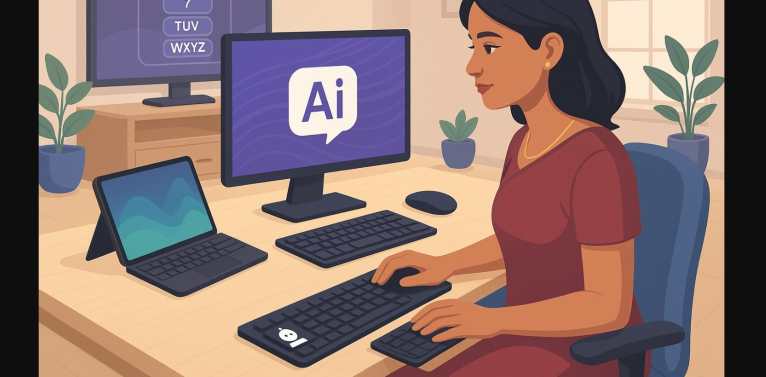
If you’ve ever struggled to type an email in Hindi, search in Tamil, or fill out a form in Marathi you know the frustration. Most keyboards in India come with only English letters. But that doesn’t mean you can’t type in your mother tongue.
In fact, with the right tools, you can type fluently in almost any Indian language even without a special keyboard. This post will show you how.
1. Why Typing in Indian Languages Is More Relevant Than Ever
- India is multilingual and more people are working, studying, and creating content in their native languages.
- Competitive exams and government forms often require Hindi or regional scripts.
- YouTubers, bloggers, students, and freelancers are embracing vernacular writing for better reach and engagement.
- Smartphones, laptops, and PCs all now support regional input but many users still don’t know how to set it up.
Let’s break it down step by step.
2. English Keyboard? No Problem You Can Still Type in Hindi, Tamil, Bengali & More
You don’t need to buy a special keyboard. You just need to understand how Indian language typing works.
There are three common ways to type regional scripts in India:
| Method | How It Works | Best For |
|---|---|---|
| Phonetic/Transliteration | Type Hindi words using English spelling (“namaste” → नमस्ते) | Easy, natural typing |
| Inscript Layout | Standardized key positions for each letter (used in exams) | Official use, learning to type professionally |
| On-Screen Keyboards | Virtual keyboard layout you can tap or click on | Mobile devices, touchscreen use |
3. Typing Support by Platform (in India)
Windows
- Built-in support for Inscript and Phonetic typing
- Tools: Microsoft Indic Input, Google Input Tools
- Languages supported: Hindi, Tamil, Bengali, Marathi, Telugu, Gujarati, Punjabi, Kannada, Malayalam, and more
macOS
- Native support for Devanagari, Tamil, Bangla, etc.
- Easy to switch layouts using the globe key or menu bar
Android
- Gboard supports over 20 Indian languages
- Typing, swipe input, emoji suggestions, and voice-to-text in Hindi, Bengali, Marathi, and more
iPhone/iPad
- Built-in keyboards for Hindi, Tamil, Telugu, Punjabi, Gujarati, Malayalam, etc.
- Predictive typing and seamless switching
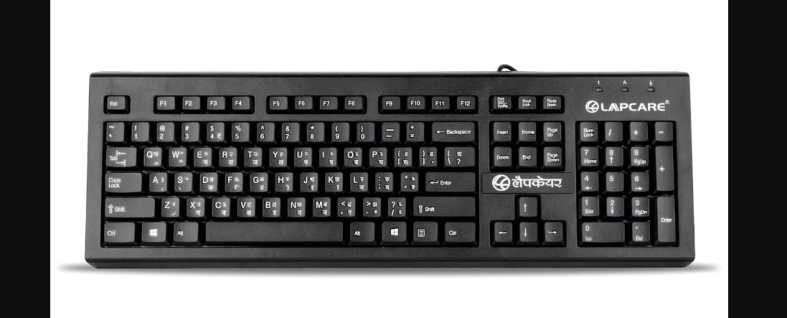
4. Do You Need a Physical Keyboard with Hindi or Tamil Keys?
Not necessarily. But there are options if you want one:
| Option | Notes |
|---|---|
| Bilingual Keyboards (EN+HI) | Common in government use or Hindi typing schools |
| Custom-printed Layouts | Available online for Tamil, Bengali, etc. |
| Keyboard Stickers | Cheapest solution add script labels |
| Virtual On-screen layouts | Best for phone/tablet typing |
If you’re learning Inscript for government jobs, a bilingual keyboard may help. Otherwise, a normal English keyboard + input software is enough for most users.
5. Top Tools for Indian Language Typing (2025)
| Tool Name | Works On | Key Feature |
|---|---|---|
| Google Input Tools | Windows, Web | Phonetic typing in Hindi, Tamil, Bengali, etc. |
| Microsoft Indic Input | Windows | Supports Inscript + Phonetic |
| Gboard | Android, iOS | Mobile typing in 20+ Indian languages |
| Lipikaar | Desktop + App | No memorization; uses intuitive logic |
| Baraha | Windows | Great for Kannada, Tamil, Telugu typing |
6. Common Use Cases Where This Matters
| User Type | Language Input Use |
|---|---|
| Government Job Aspirants | Hindi typing (Inscript) for SSC, banking, etc. |
| Content Creators | Blogs, captions, YouTube scripts in local script |
| Students in Regional Schools | Homework, emails, essays in mother tongue |
| Small Businesses | Bills, invoices, signs in regional scripts |
| Social Media Users | Engaging with local audience on Facebook, WhatsApp, etc. |
7. Common Mistakes Users Make
- Thinking you must buy a Hindi keyboard unnecessary for most users
- Confusing Inscript with phonetic they’re different layouts
- Never configuring the language input settings on your OS
- Using apps with poor accuracy or outdated scripts
- Not enabling Unicode causing display issues in some apps
8. You Can Type in Your Language On Any Device
Whether you speak Hindi, Tamil, Marathi, Bengali, or Gujarati typing in your language is easy once you know the right tools. You don’t need special hardware. You just need the right input method, software, or simple setup.
And the more you type in your language for work, school, content, or communication the more powerful and connected your digital life becomes.