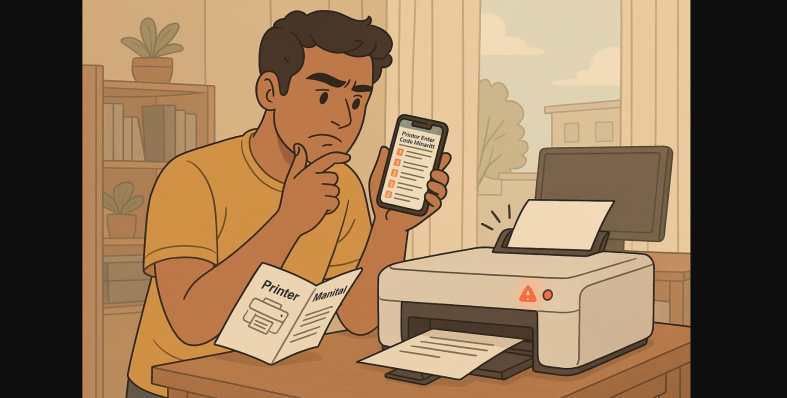
You’re about to print a hall ticket, school form, or government document and suddenly, your printer starts blinking, beeping, or flashing an error code like E-05 or P-02.
If you’ve ever sat there confused, trying to figure out what these codes mean, you’re not alone. Most Indian users never get a clear explanation from the printer just a light and a frustrating delay.
This guide helps you understand what those printer errors actually mean, and more importantly, what to do about them no technician required.
1. Why Printers Use Error Codes and Blinking Lights
Many home printers in India especially budget inkjet and ink tank models don’t come with full displays. So when something goes wrong, they use blinking lights, beep patterns, or short error codes to communicate the problem.
You’ll see these signals on models from HP, Canon, Epson, and others whether it’s a blinking orange light, a flashing power button, or an “E” code.
2. Common Printer Blinking Light Errors (All Brands)
Here are patterns you might notice and what they typically mean:
| Blink Pattern | What It Likely Means | What to Try |
|---|---|---|
| 2 orange blinks | Paper jam or feed issue | Check trays and remove stuck sheets |
| 3 blinks | Paper tray open or paper not aligned | Reload paper, close panel |
| 4 blinks | Cartridge not recognized | Clean contacts, reinsert |
| 5 blinks | Printhead not detected | Try a cleaning cycle or reset |
| 7 blinks | Ink absorber full (Canon models) | May require service |
| Orange + green alternating | Firmware or system error | Unplug and restart |
These patterns are especially common in Canon Pixma, HP DeskJet, and Epson L-Series printers in India.
3. Canon Printer Error Codes in India
Canon printers often display E-codes on models with a basic LCD.
| Code | Meaning | Fix |
|---|---|---|
| E-02 | No paper | Reload paper |
| E-03 | Paper jam | Remove jammed sheets, restart |
| E-05 | Cartridge not recognized | Reseat or clean cartridge |
| E-08 | Ink absorber full | Call service or reset absorber counter |
| P-02 | Carriage stuck | Open lid, check for obstructions |
| B-200 | Printhead error | Unplug, reset; may need service |
Tip: Many Canon errors can be reset by turning off the printer, unplugging for 60 seconds, and restarting.
4. HP Printer Errors (DeskJet, Smart Tank, Ink Advantage)
HP printers often show light signals or app notifications instead of screen codes.
| Signal or Code | Meaning | Fix |
|---|---|---|
| Blinking Power + Resume Light | Paper feed issue or ink error | Reload paper, check cartridge |
| E1 / E2 in HP Smart App | Paper mismatch or jam | Adjust paper settings |
| 0x6100004a | Paper stuck in carriage | Remove debris and restart |
| “Cartridge Problem” | Faulty or low ink | Clean contacts or try replacement |
| No error but no printing | Driver conflict | Restart both printer and PC, reinstall app |
Tip: Keep the HP Smart App updated it shows more error details than the printer itself.
5. Epson Error Codes (EcoTank & InkTank Models)
Epson printers, especially L-series, often show numeric error codes or light combos.
| Code | What It Means | What You Can Do |
|---|---|---|
| 000041 | Ink cartridge not recognized | Reseat ink tank or replace cap |
| 000031 | Scanner error | Open lid, restart |
| Blinking Ink Light | Ink is low or empty | Refill tank |
| Power + Paper Light Blink | Paper feed issue | Remove jam, reset |
| Fast Power Light Blink | System or firmware error | Try full reset |
Tip: Run the Epson Maintenance Utility if using on PC it can clear blocked nozzles and reset ink levels.
6. What to Do If You Don’t Know the Printer Code
If your printer doesn’t show a code but keeps blinking or making noise:
- Turn off and unplug the printer for 1-2 minutes
- Check for:
- Paper stuck deep inside
- Loose cartridges
- Open covers or trays
- Reconnect and try printing a test page
- If it still fails:
- Search the code on the brand’s India support site
- Use the app for more insight
- Contact support with the model number and error pattern
6. When It’s Time to Call – Printer Service Center
Some issues are better left to the professionals, especially if:
- You see “Ink absorber full” errors repeatedly
- The printer gives system or firmware faults even after resets
- You hear unusual grinding or carriage sounds
- Power light flashes with no other response
If under warranty, call the official support and give them the exact code or blink pattern it speeds up the solution.
7. Understand Blinking Lights and Error Codes
Indian homes and small offices often rely on printers for everything from schoolwork to work-from-home forms. When something goes wrong, those beeps and blinks feel like a mystery.
But now you know what most of them mean and more importantly, how to fix them. So the next time your printer refuses to cooperate, pause, read the signal, and try the right fix not just a restart.